
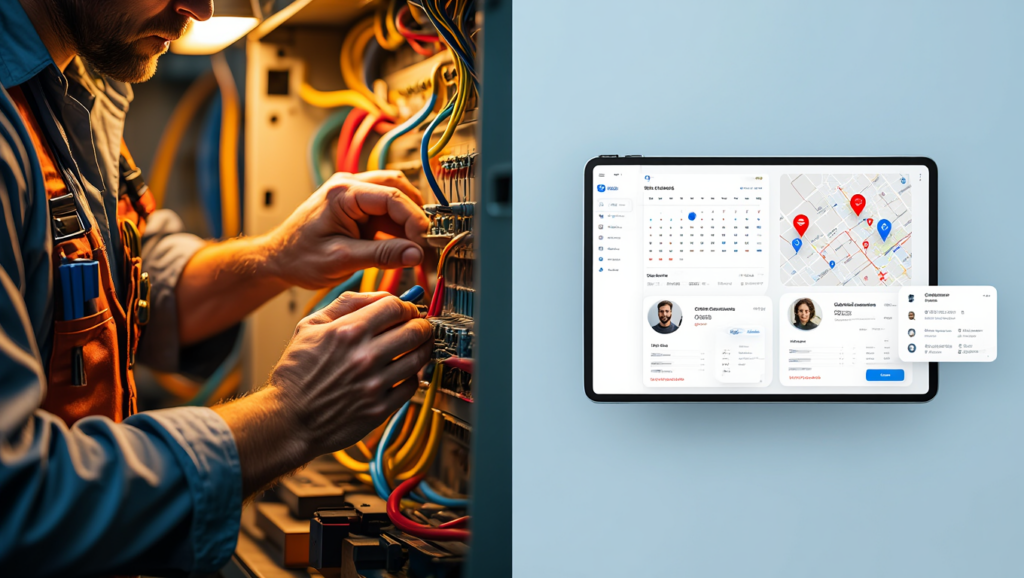
Running a small electrical contracting business means you’re juggling job scheduling, customer calls, parts ordering, crew dispatching, and invoice chasing — often all before noon. Most electrical contractors with fewer than 10 technicians are still managing this chaos through a mix of paper job sheets, WhatsApp messages, and spreadsheets that break the moment a second person touches them. The result: missed jobs, delayed invoices, and cash flow gaps that shouldn’t exist.
The field service software market has matured significantly, and in 2026 there are genuinely excellent tools built specifically for trade contractors at your scale. This article compares Jobber, Housecall Pro, FieldPulse, ServiceTitan, and Method CRM — covering features, pricing, real-world limitations, and which type of electrical contractor each one suits best. By the end, you’ll know exactly which platform to test first.
⚡ QUICK ANSWER The best field service software for small electrical contractors in 2026 is Jobber for most businesses — it balances ease of use, scheduling power, and invoicing automation at a price that makes sense for 1–10 technician operations. Housecall Pro is the stronger pick if online booking and customer reviews are a priority. FieldPulse wins on affordability for solo operators, while ServiceTitan suits contractors who are actively scaling past 10 technicians and need enterprise-level reporting.
Why Electrical Contractors Need Field Service Software
Most electricians don’t get into the trade to manage spreadsheets. But as soon as you move from solo operator to running even two or three technicians, the administrative load multiplies fast. A single missed invoice or a double-booked job appointment doesn’t just cost you an hour — it can cost you a client relationship.
Field service management (FSM) software centralises your scheduling, dispatching, quoting, invoicing, and customer communication into one platform. That matters specifically for electrical contractors because your jobs vary wildly in scope: a quick panel inspection looks nothing like a full rewire, and your software needs to handle both without you manually reconfiguring everything.
Beyond internal efficiency, there’s a customer expectation shift happening. Homeowners and commercial clients now expect text-message appointment reminders, digital quotes they can approve with one tap, and online payment options. If you’re still faxing invoices or collecting cheques at the door, you’re losing jobs to competitors who aren’t.
Jobber vs Housecall Pro for HVAC Businesses 2026: The Real Verdict
The right FSM tool also gives you data you’ve never had before: which job types are most profitable, which technicians are completing the most work, and where your scheduling gaps are eating into revenue.
How We Evaluated These Tools
Picking software for your business isn’t about which platform has the longest feature list. We evaluated each tool against the criteria that matter most for small electrical contractors:
- Ease of onboarding — Can a non-technical business owner set it up without hiring a consultant?
- Scheduling and dispatching — Does it handle real-world complexity: multi-technician routing, recurring jobs, emergency call-outs?
- Invoicing and payments — Can it generate invoices in the field and collect payment on the spot?
- Customer communication — Automated reminders, job updates, and follow-ups without manual effort?
- Mobile app quality — Your technicians are never at a desk. The mobile experience must be reliable.
- Pricing transparency — Is the pricing structure honest and predictable as you grow?
- Integrations — Does it connect with QuickBooks, Xero, or your preferred accounting tool?
Jobber — Full Review
Jobber is the most widely adopted field service platform among residential trade contractors in North America, and for good reason. It was built for exactly this use case: a small service business that needs professional scheduling, client management, and invoicing without enterprise-level complexity.
Key Features
Jobber’s scheduling drag-and-drop calendar is genuinely intuitive. You can assign jobs to technicians, set travel time buffers, and create recurring job schedules in minutes. The client hub feature gives your customers a self-service portal where they can approve quotes, view job history, and pay invoices — which dramatically reduces the “can you send me that invoice again?” phone calls.
Automated follow-ups are a standout feature. Jobber can send customers a review request automatically after a job closes, which feeds your Google Business Profile without you remembering to ask. For electrical contractors building their local reputation, this alone can justify the subscription cost.
The platform integrates natively with QuickBooks Online, Stripe, and PayPal, and connects to 20+ other apps via Zapier.
Pricing
Jobber’s pricing as of 2026 — verify current plans on their website:
- Lite: ~$19/month (1 user, basic invoicing and scheduling)
- Core: ~$49/month (1 user, adds client hub and online booking)
- Connect: ~$129/month (up to 5 users, full automation and reporting)
- Grow: ~$249/month (up to 15 users, adds leads and advanced reporting)
All plans include a 14-day free trial.
Best For
Jobber is the strongest all-rounder for electrical contractors with 2–8 technicians who want a polished customer experience and reliable scheduling. It’s particularly well-suited to residential service businesses where repeat clients and online reviews drive growth.
Limitations
Jobber doesn’t offer a GPS fleet tracking module — you’ll need a third-party integration for that. Its reporting is solid but not deep enough for contractors who want granular profitability analysis by job type or technician. The Lite plan is quite restricted; most contractors will need Core or Connect to get meaningful value.
Housecall Pro — Full Review
Housecall Pro pitches itself as the all-in-one platform for home service professionals, and it delivers on that promise more completely than most competitors. Its marketing automation capabilities are particularly strong for trade contractors who want to grow through referrals and repeat business.
Key Features
The online booking feature is one of Housecall Pro’s most compelling differentiators. Customers can book a job directly from your website or a Google search result, picking available time slots without calling your office. For a small electrical contractor trying to reduce inbound call volume, this is a significant operational improvement.
Housecall Pro also includes a review management system that prompts customers via text and email post-job, with direct links to your Google profile. Its postcard marketing feature — which automatically sends physical mailers to past customers around seasonal periods — is genuinely unique in this software category.
The mobile app is polished and reliable. Technicians can create invoices, collect signatures, and process card payments from the job site. The platform integrates with QuickBooks, Slack, and a growing library of third-party tools.
Pricing
Housecall Pro pricing as of 2026 — verify on their website:
- Basic: ~$49/month (1 user)
- Essentials: ~$129/month (1–5 users)
- MAX: Custom pricing (6+ users, adds advanced reporting and dedicated account manager)
A 14-day free trial is available.
Best For
Housecall Pro suits electrical contractors who are actively marketing their business — particularly those investing in Google Ads, local SEO, or referral programs. If customer acquisition and retention automation is a priority alongside operations, it edges out Jobber in that department.
Limitations
Housecall Pro’s pricing jumps significantly between tiers, and the Basic plan is limited enough that most growing contractors will quickly feel constrained. Some users report the estimating and quoting workflow is less flexible than Jobber’s for complex multi-phase electrical jobs.
FieldPulse — Full Review
FieldPulse is the underdog in this comparison — less name recognition than Jobber or Housecall Pro, but a genuinely impressive platform for small contractors who want serious functionality at a lower price point. It’s particularly strong for solo electricians and micro-teams (1–3 technicians) who need scalability built in from day one.
Key Features
FieldPulse’s customer portal allows clients to track job status, communicate with your team, and pay invoices — comparable to Jobber’s client hub. Its multi-company management feature is unusual at this price point: if you operate under multiple business names or manage subcontractors, FieldPulse handles this without requiring separate accounts.
The platform includes GPS tracking built in (not as an add-on), time tracking, and an equipment management module that lets you log which tools or materials are assigned to which job. For electricians managing van stock and expensive test equipment, this is genuinely useful.
FieldPulse also has a growing integration library including QuickBooks, Xero, and Stripe.
Pricing
FieldPulse pricing as of 2026 — verify on their website:
- Starter: ~$99/month (up to 2 users)
- Growth: ~$199/month (up to 5 users)
- Enterprise: Custom pricing (unlimited users)
Per-user pricing is available for some tiers. A free trial is offered.
Best For
FieldPulse is the best option for solo electricians moving off spreadsheets for the first time, and for small teams who want GPS tracking and equipment management included without paying enterprise prices. It’s also a smart pick if you manage subcontractors alongside employees.
Limitations
FieldPulse’s user interface, while functional, feels slightly less refined than Jobber or Housecall Pro. Some users report a steeper learning curve during initial setup. The customer-facing features — booking, review automation — are less polished than competitors at higher price points.
ServiceTitan — Full Review
ServiceTitan is the enterprise-grade platform in this comparison, and it’s important to be honest: it’s probably overkill for most contractors with fewer than 10 technicians. But if you’re actively scaling, planning to cross 15–20 technicians within the next two years, or running a commercial electrical operation alongside residential, it deserves serious consideration.
Key Features
ServiceTitan’s reporting and analytics engine is in a different league from the other tools in this article. You can break down revenue by technician, job type, service agreement, or marketing campaign source. For a business owner making data-driven hiring and pricing decisions, this visibility is invaluable.
The platform includes a call booking module with screen pops — when a customer calls, their full history appears immediately. Its pricebook feature lets you set flat-rate pricing for standard electrical jobs, which speeds up quoting and protects your margins on common service calls.
ServiceTitan integrates deeply with QuickBooks, Google Ads, and a wide range of accounting and marketing tools.
Pricing
ServiceTitan does not publish pricing publicly — it’s quote-based and typically starts around $398/month for small teams, scaling significantly with technician count and add-on modules. Implementation fees and onboarding costs are additional. Verify current pricing directly with their sales team.
Best For
ServiceTitan is best for electrical contractors who are already doing significant revenue (typically $1M+/year) and need the operational infrastructure to support continued growth. It’s the right tool if you’re managing commercial contracts, service agreements, and multiple crews simultaneously.
Limitations
ServiceTitan’s onboarding process is intensive — expect several weeks and a dedicated implementation resource. The cost is prohibitive for smaller operations, and many features that are included by default in Jobber or Housecall Pro are add-ons in ServiceTitan’s pricing model. It is not the right first FSM software for most small electrical contractors.
Method CRM — Full Review
Method CRM takes a different approach from every other tool in this comparison. Where Jobber, Housecall Pro, and FieldPulse are built around scheduling and field operations first, Method CRM is a customer relationship management platform with field service capabilities built in — and a uniquely deep integration with QuickBooks.
Key Features
Method’s headline feature is its two-way QuickBooks sync, which goes further than any competitor. Customer records, invoices, payments, and estimates sync in real time without manual reconciliation. If your business already runs on QuickBooks and your accountant is reluctant to change anything, Method lets you add field service capabilities without disrupting your existing accounting workflow.
The platform also offers a customisable workflow builder that lets you adapt the software to your business process rather than forcing you to adapt to the software. For electrical contractors with unusual quoting or approval processes, this flexibility is rare.
Pricing
Method CRM pricing as of 2026 — verify on their website:
- Contact Management: ~$25/user/month
- CRM Pro: ~$44/user/month
- CRM Enterprise: ~$74/user/month
A 30-day free trial is available.
Best For
Method CRM is the best pick if your primary pain point is accounting reconciliation and customer record management rather than scheduling and dispatching. It suits electrical contractors who already have a working scheduling system (even a simple calendar) and need better customer tracking, quote management, and QuickBooks integration.
Limitations
Method CRM is not a full field service management platform in the same way Jobber or Housecall Pro are. Its scheduling and dispatching tools are less developed, and it lacks the mobile-first technician experience that the other platforms offer. Think of it as a powerful CRM with field service features, not the other way around.
Side-by-Side Comparison Table
| Feature | Jobber | Housecall Pro | FieldPulse | ServiceTitan | Method CRM |
|---|---|---|---|---|---|
| Starting Price/month | ~$49 | ~$49 | ~$99 | ~$398 (quote) | ~$25/user |
| Free Trial | 14 days | 14 days | Yes | Demo only | 30 days |
| Mobile App Quality | ⭐⭐⭐⭐⭐ | ⭐⭐⭐⭐⭐ | ⭐⭐⭐⭐ | ⭐⭐⭐⭐⭐ | ⭐⭐⭐ |
| Online Booking | Yes | Yes (best-in-class) | Yes | Yes | Limited |
| GPS Tracking | Add-on | Add-on | Built-in | Built-in | No |
| QuickBooks Integration | Yes | Yes | Yes | Yes | Deep 2-way sync |
| Review Automation | Yes | Yes | Limited | Yes | No |
| Flat-rate Pricebook | Yes | Yes | Yes | Yes (best-in-class) | No |
| Best For | 2–8 techs, residential | Marketing-focused teams | Solo–3 techs | 15+ tech growth ops | QuickBooks-first businesses |
| Ease of Setup | ⭐⭐⭐⭐⭐ | ⭐⭐⭐⭐ | ⭐⭐⭐⭐ | ⭐⭐ | ⭐⭐⭐ |
Jobber
Housecall Pro
FieldPulse
ServiceTitan
Method CRM
Which Should You Choose?
The honest answer depends on where your business is right now and where you want it to go in 12 months.
Choose Jobber if you have 2–8 technicians, you’re primarily residential, and you want software that’s easy to roll out, looks professional to your customers, and integrates cleanly with QuickBooks. It’s the safest first FSM platform for most small electrical contractors.
Choose Housecall Pro if customer acquisition is as important as operational efficiency — particularly if you’re investing in local marketing and want automated review generation and online booking driving inbound jobs.
Choose FieldPulse if you’re a solo electrician or running a team of 2–3 and you need GPS tracking, equipment management, and a lower monthly commitment. It punches above its price bracket.
Choose ServiceTitan only if you’re already operating at scale or have a clear 18-month growth plan that takes you past 10 technicians and into commercial contracts. Don’t pay enterprise prices to manage 3 vans.
Choose Method CRM if your biggest problem is accounting reconciliation, customer tracking, and QuickBooks sync — and your scheduling is already handled reasonably well.
A Note on Software as a Business Expense
Software subscriptions for your field service management platform are generally deductible as ordinary business expenses in the US, UK, Canada, and Australia. In the US, this falls under standard operating expense deductions — and depending on your business structure, you may also be able to apply Section 179 expensing rules to qualifying software. [EXTERNAL LINK: IRS Section 179 deduction overview → IRS.gov] Consult your accountant to confirm how your specific subscription qualifies, but in most cases your FSM software cost is reducing your taxable income from day one.
Frequently Asked Questions
What is the best field service software for small electrical contractors?
The best field service software for small electrical contractors in 2026 is Jobber for most businesses — it offers a well-rounded feature set covering scheduling, invoicing, customer communication, and QuickBooks integration at a price that makes sense for teams of 1–10 technicians. Housecall Pro is the better choice if online booking and marketing automation are your top priorities. FieldPulse is the most cost-effective option for solo operators and micro-teams.
Can field service software help electricians get paid faster?
Yes — significantly. Platforms like Jobber, Housecall Pro, and FieldPulse let technicians generate invoices and collect card payments directly from the job site, eliminating the billing delay that comes with paper invoicing. Automated payment reminders also reduce overdue accounts. Many contractors report cutting their average collection time from 30+ days to under 7 days after implementing FSM software.
How much does electrical contractor job management software cost?
Pricing varies widely by platform and team size. Entry-level plans for a single user start around $19–$49/month (Jobber Lite, Housecall Pro Basic). Mid-tier plans for teams of 2–5 technicians typically run $99–$199/month. Enterprise platforms like ServiceTitan are quoted individually but generally start above $300/month. Most platforms offer a free trial so you can test before committing.
Is field service software worth it for a solo electrician?
For a solo electrician doing 10+ jobs per week, yes. The time saved on scheduling, invoicing, and customer follow-up typically outweighs the subscription cost within the first month. FieldPulse and Jobber’s Lite plan are both well-suited to solo operators. The bigger benefit over time is the professional image — digital quotes, automated reminders, and online payments make a one-person operation look like a polished business.
Does field service management software integrate with QuickBooks?
All five platforms reviewed here integrate with QuickBooks, but the depth varies. Jobber, Housecall Pro, FieldPulse, and ServiceTitan offer standard sync for invoices and customer records. Method CRM offers the deepest QuickBooks integration of any platform in this comparison — a true two-way real-time sync that’s particularly valuable if your accountant relies heavily on QuickBooks for day-to-day reporting.
What should small electrical contractors look for in scheduling software?
Prioritise a drag-and-drop calendar that handles multi-technician scheduling, the ability to set recurring jobs for maintenance contracts, and automated customer appointment reminders. GPS-based technician tracking is valuable for dispatch efficiency. Look for a mobile app your technicians will actually use — if it’s clunky or slow in the field, adoption will fail regardless of how powerful the desktop version is. Most platforms offer a free trial; test the mobile app before deciding.
Best CRM for Plumbing Companies in 2026: 5 Tools That Stop You Losing Jobs
The Bottom Line
For the majority of small electrical contractors in the US, UK, Canada, and Australia, Jobber is the right starting point in 2026 — it’s the platform that strikes the best balance between ease of use, professional features, and honest pricing for a 1–10 technician operation. If your growth plans are ambitious and marketing matters as much as operations, Housecall Pro earns a close second position.
The most important move is getting off spreadsheets and paper. Every week you delay implementing proper field service software is a week of unbilled time, missed follow-ups, and scheduling inefficiencies that are silently eroding your margin.
If Jobber sounds like the right fit for your operation, you can start a free 14-day trial — no credit card required — and have your first jobs scheduled and invoiced digitally within a few hours.