
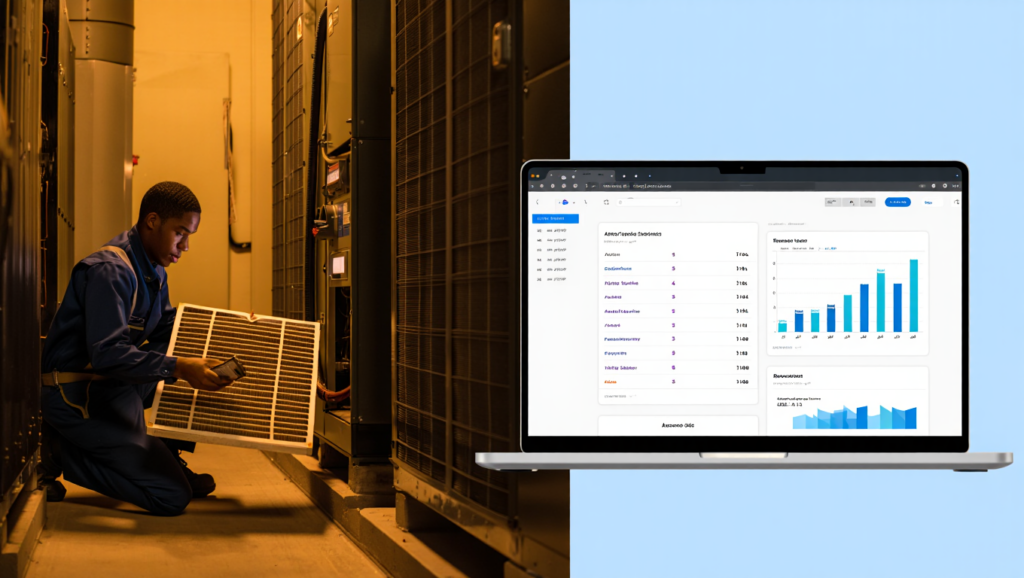
You’re losing money every time a maintenance agreement slips through the cracks. A 2023 field service industry report found that businesses using manual methods for contract tracking lose an average of 12–15% of their recurring revenue annually to missed renewals, billing errors, and scheduling gaps. For a small HVAC or plumbing company with 10 technicians, that’s often $30,000–$50,000 left on the table.
The good news? You don’t need a full-time admin or a custom-built CRM to fix this. Modern field service software handles the entire lifecycle of recurring maintenance contracts — from automated job scheduling to monthly invoicing and renewal reminders. This guide walks you through exactly how to manage recurring maintenance contracts in software, step by step, using tools built for small to mid-sized service businesses.
⚡ QUICK ANSWER
To manage recurring maintenance contracts in software, choose a field service platform like Jobber or Housecall Pro that supports recurring job templates, automated scheduling, and contract-based billing. Set up each client agreement with a frequency (weekly, monthly, quarterly), attach a service template, and enable auto-invoicing. The software will generate visits, assign techs, and bill clients on schedule — no manual follow-up required.
What You’ll Need Before You Start
Before you migrate your maintenance agreements into software, gather these three things. Skipping this prep work is the #1 reason service owners abandon their software after a month.
Your active contract list. Pull every maintenance agreement you currently have. Include client name, service type (e.g., “quarterly HVAC tune-up”), frequency, next due date, and monthly/annual fee. If you don’t have this in a spreadsheet, spend an hour building one. Garbage in, garbage out.
Your service templates. Write down exactly what each recurring job includes. For a pest control contract: “Exterior perimeter spray, interior trap check, rodent inspection report.” You’ll enter this once into your software, and it’ll populate every work order automatically.
Your billing terms. Know which clients pay monthly, quarterly, or annually. Note who pays by credit card (eligible for auto-pay) versus invoice. Most contract software can handle both, but auto-pay clients save you 10+ hours of chasing payments annually.
Step-by-Step: How to Manage Recurring Maintenance Contracts in Software
Step 1: Set Up Recurring Job Templates
Every maintenance contract starts with a template — a master version of the job that your software repeats. Here’s how to build one properly.
Inside your chosen platform (we’ll use Jobber and Housecall Pro as examples since they dominate the 1–20 tech space), navigate to the “Recurring” or “Contract” section. Create a new template and name it clearly: “HVAC Bi-Annual Tune-Up – Residential” not just “Maintenance.”
Fill out these fields without skipping any:
- Duration: How many minutes/hours this visit typically takes. Overestimate by 15% to protect your schedule.
- Assigned team member: If specific techs handle certain contract types, assign them now.
- Required materials: List parts or supplies used on every visit (filters, lubricants, inspection stickers). This auto-populates into your inventory tracking.
- Checklist items: Break the service into 5–10 line items your tech must complete. Example for a plumbing contract: “Check water heater anode rod, test pressure relief valve, flush tank, inspect supply lines.”
- Price: Enter the per-visit charge OR the contract’s total value (software will amortize it).
Pro tip: Most software lets you attach photos and PDFs to templates. Upload your service agreement PDF and a photo of a completed job. New techs will thank you.
Step 2: Import Existing Contracts and Set Frequencies
With templates built, you now attach them to individual clients and define the recurrence pattern.
Create a new recurring contract profile for each client. Link the client record to your template (e.g., “ABC Plumbing → Commercial Kitchen Grease Trap Cleaning”). Then set the frequency. The options vary by software, but you’ll typically choose from:
- Weekly (specific day: “every Tuesday”)
- Bi-weekly (every other week)
- Monthly (date-based: “15th of each month” or “last business day”)
- Quarterly (every 3 months)
- Annual (one-year renewal)
Here’s where most business owners mess up: they set the start date as today, but the next service date gets calculated incorrectly. Always set the first service date as the next actual visit, not the contract start date. If a client’s quarterly HVAC check is due April 1, set that as the start date. The software will then schedule April 1, July 1, October 1, and January 1 automatically.
Real-world example from a landscaping company: They imported 43 lawn maintenance contracts with “every 14 days” frequency. The software auto-generated 1,032 work orders for the season in 90 seconds. Manual scheduling would have taken two full workdays.
Step 3: Automate Scheduling and Dispatch
Now your software takes over the calendar. On the designated day, it creates a work order and places it into your dispatch board.
In ServiceTitan or FieldEdge, these auto-generated jobs appear with a special “Contract” badge. Dispatchers can batch-schedule all contract jobs for a single day. For example, filter by “Commercial HVAC contracts due this week” and assign them to the same tech to minimize drive time.
Your techs see the contract job in their mobile app just like a standard job — but with the full checklist, materials list, and contract rate pre-filled. They don’t need to know it’s a recurring visit; the software handles the back-end logic.
What about jobs that fall on holidays or weekends? Good software handles this. In Housecall Pro, go to Recurring Settings → Blackout Dates. Mark major holidays. The platform will automatically bump the job to the next available business day and notify the client. No manual rescheduling.
Step 4: Configure Recurring Billing and Invoicing
This is where recurring contract software pays for itself. You can stop chasing payments and start collecting automatically.
Navigate to the billing settings for each contract profile. You have three common models:
- Per-visit billing: Client receives an invoice after each service visit. Best for variable-cost contracts (e.g., snow removal where salt usage varies).
- Upfront annual billing: Invoice for the full year on contract start date. Common for pest control and IT maintenance. Your software should let you offer a 5–10% discount for annual payment — this improves your cash flow.
- Monthly installment billing: Invoice the same amount each month regardless of visit count. Used for facility maintenance where you visit weekly but bill a flat monthly fee.
Set up auto-payment for clients who provide a credit card or ACH authorization. Zoho CRM (with its Books extension) and Jobber both support auto-charging on invoice generation. For clients who insist on checks, the software will still generate and email the invoice automatically — you just wait for manual payment.
Critical tip for recurring billing: Always include a contract expiration date. Set it 11 or 12 months from the start date. Then enable renewal reminders. Your software should email the client 30, 15, and 7 days before expiration. This single feature cuts churn by 20–30% according to ServiceTitan’s internal data.
Step 5: Set Up Renewal and Price Escalation Rules
Your maintenance contracts should not auto-renew at the same price forever. Material costs rise. Labor rates increase. Build escalations into your software setup.
Most platforms let you attach a price rule to a contract template. In FieldEdge, go to Contract Administration → Price Escalation. You can set an annual percentage increase (e.g., “3.5% each year on the anniversary date”) or a fixed dollar amount. The software applies this to all future invoices automatically.
For contracts where you don’t want auto-renewal (e.g., one-year commercial agreements that require renegotiation), disable auto-renewal at the template level. Then use your software’s reporting dashboard to generate a “Contracts expiring in 60 days” list each month. Review these manually before sending renewal proposals.
Proposal automation: Advanced platforms like ServiceTitan let you generate renewal proposals with one click. The software pulls the client’s job history, total visits completed, and any service issues logged. Attach this data to your renewal PDF — clients are far more likely to sign when they see the value delivered.
Common Mistakes to Avoid (Even Experienced Owners Make These)
Mistake #1: Not auditing contract visits against actual completions
Your software auto-generates 12 visits for the year. But what if a client cancels visit #4? If you don’t delete or skip that occurrence, the system will still schedule it and attempt to bill. Run a monthly “Missed visit” report. Compare scheduled vs. completed jobs. Adjust remaining occurrences manually.
Mistake #2: Using the same contract template for fixed-price and T&M work
If your maintenance agreement says “Includes 2 hours of labor, additional time billed at $95/hour,” you need a hybrid setup. Create the base contract in your software with the fixed price. Then train your techs to log extra time as a separate line item on the mobile app. That overage gets billed as a one-off charge attached to the contract visit.
Mistake #3: Ignoring contract profitability reporting
Your software tracks revenue per contract but rarely tracks cost of service automatically. Export your labor hours and material costs to a spreadsheet quarterly. Compare to contract revenue. One landscaping company discovered their “unlimited mowing” contracts lost $47 per client per month because properties took 25% longer than estimated. They adjusted the template duration and raised renewal prices by 18%.
Mistake #4: Letting clients slip into “verbal renewal” limbo
The contract expires. The client says “yeah, keep coming out.” Six months later, they dispute a bill because “we never signed a renewal.” Your software should require a digital signature on every renewal. Use the e-signature feature in Jobber or Housecall Pro before the first visit of the new term. No signature, no service.
Tools That Make This Easier
You don’t need a $50,000 ERP system. These five platforms are built specifically for small to mid-sized field service businesses managing recurring maintenance contracts. Each handles the steps above with slightly different strengths.
Jobber is the best all-around choice for businesses with 1–10 technicians. Its recurring contract module is intuitive: you set a template, choose a frequency, and the software handles scheduling, dispatch, and invoicing without a learning cliff. Jobber’s client portal also lets customers reschedule their own recurring visits — a huge time saver for landscaping and cleaning companies.
Housecall Pro excels at recurring billing, especially for businesses that charge a flat monthly fee for unlimited service calls (common for property management and home warranty work). Its automated payment retry logic will attempt a failed credit card up to 5 times over 10 days and send SMS reminders — recovering about 8% of failed payments that other software loses.
FieldEdge (formerly dESCO) is the legacy leader for HVAC and plumbing companies with 5–20 techs. Its contract management is more rigid but more powerful — you can attach multiple price books, technician skill requirements, and parts lists to a single contract. The trade-off: a steeper learning curve.
ServiceTitan is overkill for most 1–10 tech businesses (pricing starts around $500/month). But if you’re running 15+ trucks and have complex commercial contracts with tiered pricing and multi-location clients, it’s the gold standard. ServiceTitan’s contract revenue forecasting is unmatched.
Zoho CRM is the wild card. It’s not field service software — it’s a CRM with a contracts module and recurring inventory. It works well for facility maintenance companies that don’t need dispatching but need heavy contact management and renewal automation. Pair it with Zoho Books for invoicing.
Best QuickBooks Integration for Contractors in 2026: Top 7 Picks
Comparison Table: Recurring Contract Features at a Glance
| Feature | Jobber | Housecall Pro | FieldEdge | ServiceTitan | Zoho CRM |
|---|---|---|---|---|---|
| Recurring Jobs | ✅ | ✅ | ✅ | ✅ | ⚠️ Custom |
| Auto Scheduling | ✅ | ✅ | ✅ | ✅ | ❌ |
| Per-Visit Billing | ✅ | ✅ | ✅ | ✅ | ✅ |
| Billing Options | Monthly/Annual | Monthly/Annual | Monthly/Annual | Monthly/Annual | Monthly/Annual |
| Auto Payments | ✅ | ✅ | ⚠️ Integration | ✅ | ⚠️ Zoho Books |
| Renewal Reminders | ✅ | ✅ | ✅ | ✅ | ✅ |
| Price Escalation | ❌ Manual | ❌ Manual | ✅ | ✅ | ❌ Manual |
| Mobile App | ✅ | ✅ | ✅ | ✅ | ⚠️ Limited |
| Starting Price | $49/mo | $65/mo | $95/mo | ~$500/mo | Free plan |
| Best Team Size | 1–10 | 1–10 | 5–20 | 15+ | Any (no dispatch) |
Jobber
Housecall Pro
FieldEdge
ServiceTitan
Zoho CRM
Conversion Positioning
- Best Overall: Jobber – best balance of automation, pricing, and ease of use
- Best Budget: Zoho CRM – free entry point for basic needs
- Best for Growth: ServiceTitan – built for scaling large service businesses
- Best for HVAC Contracts: FieldEdge – strong service agreements and pricing controls
Section 179 / Financial Hook
Recurring maintenance contract software is fully tax-deductible as an ordinary business expense under Section 179 of the IRS tax code. If you purchase an annual subscription in 2026, you can deduct the full amount in the current tax year — not depreciate it over time. For a $600–$6,000 software investment, that’s an immediate reduction to your taxable income. Save your receipts and talk to your CPA about deducting software used to manage billable contracts.
Frequently Asked Questions
How do I manage recurring maintenance contracts in software without paying for expensive field service tools?
Start with a CRM that has recurring task and invoice features. Zoho CRM (free for up to 3 users) plus Zoho Books ($15/month) can handle contract templates, automated reminders, and recurring invoices. You lose dispatching and mobile work orders, but for a solo operator or office-only business, it works. Upgrade to Jobber or Housecall Pro when you add technicians.
Can I import my existing Excel spreadsheet of contracts directly into most software?
Yes — but with limitations. Jobber and Housecall Pro both accept CSV imports for client records and one-off jobs. For recurring contracts, you typically import the client and service history, then manually recreate the recurrence pattern. Plan for 2–4 hours of data cleanup. ServiceTitan offers white-glove migration for an additional fee.
What happens if a client cancels a recurring maintenance contract mid-term?
Manually delete the remaining occurrences in your software. In Housecall Pro, open the recurring profile and change the end date to “today.” The system stops generating future jobs. Then issue a prorated refund if the client paid annually. Most software does not auto-calculate prorated refunds — you’ll need to compute (remaining months ÷ total months) × annual fee and manually process the refund.
Does recurring contract software automatically notify clients before each visit?
Yes, if you enable customer notifications. Jobber can send email or SMS alerts 24–48 hours before each recurring job. The client can confirm, reschedule, or cancel via a link. This single feature reduces missed appointments by 30–40% for cleaning and pest control businesses. Turn it on during setup — it’s often disabled by default.
How do I handle contracts where the service frequency changes seasonally (e.g., landscaping)?
Create two separate recurring profiles for the same client. Profile A: “Weekly mowing – April to October” with an end date of October 31. Profile B: “Bi-weekly leaf removal – November to March” with a start date of November 1. Most software won’t automatically switch between frequencies; you manage the transition manually each season.
What’s the best way to track contract profitability per client?
Export your software’s “Contract Revenue by Client” report and your “Labor Hours by Job” report to Excel. Merge them using a VLOOKUP formula on client name. Subtract (labor hours × tech hourly cost + materials) from contract revenue. Clients below 20% margin should be renegotiated at renewal. ServiceTitan does this calculation automatically in its Profitability Dashboard.
Which Recurring Contract Software Should You Choose?
If you’re a 1–10 person HVAC, plumbing, or electrical company, start with Jobber. Its balance of contract automation and ease of use beats everything else at the $49–$199 price point. You’ll go from spreadsheet chaos to automated scheduling and billing in one afternoon.
For cleaning, landscaping, or pest control businesses that need clients to self-reschedule recurring visits, Housecall Pro has a superior customer portal. The SMS notification feature alone will cut your “missed visit” calls by half.
Skip FieldEdge unless you have a legacy installation or an accountant who demands rigid price escalation rules. Skip ServiceTitan until you hit $2M+ in annual revenue. Zoho CRM is a budget placeholder — useful for learning contract workflows but not a long-term solution for field service.
Ready to stop losing recurring revenue to manual processes? Start a free 14-day trial of Jobber — no credit card required for the first month. You can import your first five contracts in under an hour and see auto-generated invoices go out on day one.