
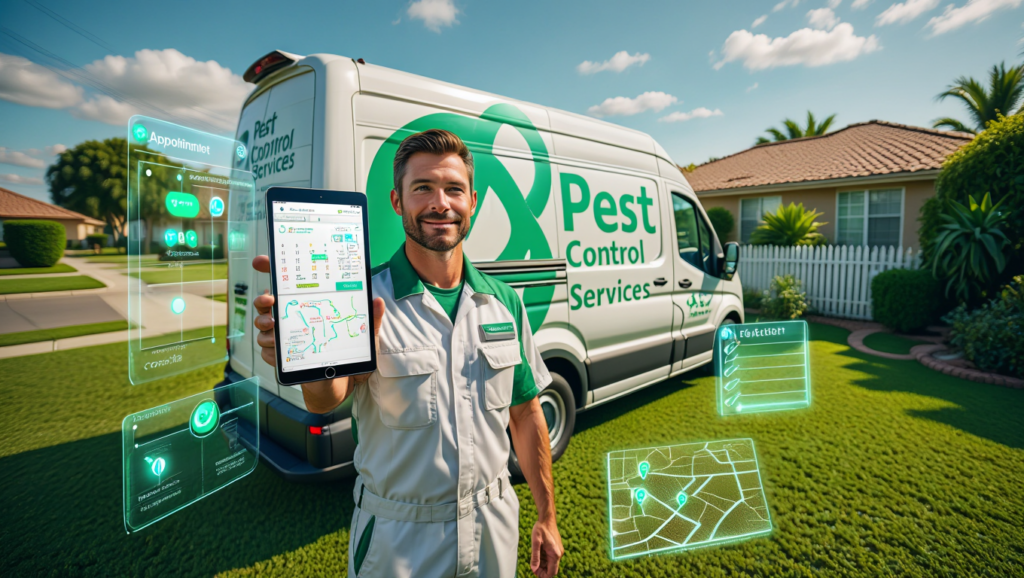
Missing a quarterly treatment visit isn’t just a scheduling error — it’s a cancelled contract. Pest control businesses run on recurring service agreements, and the moment a customer realizes their bi-monthly treatment didn’t show up as expected, you’re not just losing that appointment; you’re losing the annual value of that account. For small operations running 1–10 technicians, this kind of slip happens fast when you’re managing routes on a whiteboard or juggling appointment texts with a Google Calendar.
The right pest control scheduling software for small businesses solves this at the system level — automating recurring job creation, optimizing technician routes, triggering customer reminders, and generating invoices without your office staff manually touching each one. It also creates the documentation trail that regulators and commercial clients increasingly require: chemical application records, service history, and technician sign-offs.
This roundup covers the five best platforms purpose-built or well-suited for small pest control businesses: PestPac, Housecall Pro, Jobber, FieldRoutes, and ServiceTitan. For each tool, you’ll get a clear picture of features, honest pricing, who it’s genuinely best for, and where it falls short — so you can make a confident decision and stop stitching together spreadsheets.
⚡ QUICK ANSWER The best pest control scheduling software for small businesses in 2026 is PestPac for pest-specific operations that need chemical tracking and compliance tools built in. Jobber and Housecall Pro are stronger picks for general scheduling, invoicing, and customer communication if compliance documentation isn’t a primary need. FieldRoutes is the best option for route-dense operations where technician efficiency is the top priority.
What to Look for in Pest Control Scheduling Software
Not all field service software handles the specific demands of pest control equally. Before comparing platforms, here are the criteria that matter most for businesses in this industry.
Recurring Job Management
Pest control is fundamentally a subscription business. Your software needs to create recurring jobs automatically — weekly, bi-monthly, quarterly, or on custom intervals — without requiring a human to manually re-enter them. Missed auto-generation means missed visits, which means angry customers and cancelled contracts.
Route Optimization
Fuel and drive time are major cost drivers for pest control businesses. Good scheduling software should map your technicians’ daily stops intelligently, grouping jobs by geography and minimizing backtracking. Even modest route improvements across a 5-technician team can save hundreds of dollars in fuel monthly.
Chemical and Service Documentation
Unlike general handymen or electricians, pest control technicians are often legally required to document which chemicals were applied, at what concentration, and by which licensed applicator. Some platforms include built-in service records and chemical logs; others don’t. If you operate in a regulated state or serve commercial accounts, this isn’t optional.
Mobile App Reliability
Your technicians are at customer sites all day. The mobile app needs to work in low-connectivity areas, allow job completion sign-offs, and support photo attachments for documenting pest activity and treatment areas. A slow or crash-prone app creates friction that kills technician adoption.
Automated Customer Communication
Appointment confirmation texts, arrival notifications, and post-service follow-ups reduce no-access calls and build customer trust. The best platforms send these automatically without your office manager manually triggering each one.
Invoicing and Payment Collection
Generating invoices and collecting payment at the point of service dramatically improves cash flow. Look for platforms that let technicians invoice from their phone and accept card payments on site — or that auto-generate and email invoices the moment a job is marked complete.
Integration with Accounting Software
QuickBooks is the dominant accounting platform for small pest control businesses in the US, Canada, and Australia. Your scheduling software should sync customer records, invoices, and payments without manual reconciliation. Xero is the preferred option in the UK and parts of Australia.
The 5 Best Pest Control Scheduling Software for Small Businesses in 2026
1. PestPac — Best Purpose-Built Pest Control Platform
PestPac, developed by WorkWave, is the most widely used software purpose-built for pest control businesses. While every other tool on this list is a general field service platform adapted for pest control, PestPac was designed from the ground up for this industry — and that difference is felt throughout the product.
Key Features:
- Service order management with recurring schedule creation across any interval
- Chemical tracking module that logs pesticide application records by job — critical for compliance in licensed states
- Route optimization with GPS-based sequencing for multi-stop technician days
- Customer portal for service history, upcoming appointments, and invoice payment
- Automated follow-up communications including renewal reminders for expiring contracts
- Integration with QuickBooks and major pest control supplier catalogs
- Reporting dashboard tracking revenue by service type, technician, and route
The compliance documentation alone makes PestPac worth serious consideration if you’re operating in the US, where EPA and state-level pesticide application records are mandatory for commercial accounts and many residential contracts.
Pricing: PestPac pricing is quote-based and not publicly listed — it typically varies by number of users and active service agreements. Reports from users suggest starting costs around $100–$200/month for small operations, scaling with team size. Request a demo and pricing directly from WorkWave to get an accurate number for your business (verify current pricing on their website as of 2026).
Best For: PestPac is the top choice for dedicated pest control businesses — particularly those serving commercial accounts, operating under state licensing requirements, or running termite and fumigation services that demand detailed chemical application records.
One Limitation: PestPac’s user interface is functional but dated compared to newer platforms like Jobber or Housecall Pro. New users report a steeper learning curve during setup, and the onboarding process can feel slow if you need to get running quickly.
2. Housecall Pro — Best for Customer Experience and Online Booking
Housecall Pro is a polished field service management platform that has built a strong following among residential service businesses — including pest control operators who want professional customer-facing features alongside solid scheduling.
Key Features:
- Online booking directly from your website or Google search results — customers pick available slots without calling your office
- Automated text and email reminders for upcoming appointments, reducing no-access calls
- Recurring job scheduling with flexible interval options
- In-field invoicing and card payment collection via the mobile app
- Review automation — post-job prompts push customers to leave Google reviews, building your local SEO profile
- Postcard marketing — automatically sends physical mailers to past customers for seasonal promotions (unique in this category)
- QuickBooks and Stripe integration
For a pest control business investing in local marketing — Google Ads, Local Service Ads, or referral programs — Housecall Pro’s customer communication automation and review generation tools create a compounding growth engine that purely operational platforms don’t offer.
Pricing (as of 2026 — verify on provider’s website):
- Basic: ~$49/month (1 user)
- Essentials: ~$129/month (up to 5 users)
- MAX: Custom pricing (6+ users, adds dedicated account management)
A 14-day free trial is available.
Best For: Pest control businesses where customer acquisition and retention is as important as operational efficiency. If you’re actively building your Google review count and want automated follow-ups running without manual effort, Housecall Pro earns its subscription cost quickly.
One Limitation: Housecall Pro lacks the pesticide application documentation and chemical logging that dedicated pest control platforms like PestPac provide. If compliance documentation is a regulatory requirement for your business, you’ll need to manage that separately.
3. Jobber — Best All-Round Option for 2–8 Technicians
Jobber is the most widely recommended field service platform for small trade and service businesses in North America, and it earns that reputation through consistent execution across scheduling, invoicing, and customer communication. It’s not pest-control-specific, but its feature depth and ease of use make it genuinely compelling for operators who don’t need industry-specific compliance tools.
Key Features:
- Drag-and-drop scheduling calendar with multi-technician views and time buffers
- Recurring job creation with flexible scheduling intervals
- Client hub — a self-service portal where customers can approve quotes, view service history, and pay invoices
- Automated appointment reminders and follow-up messages
- GPS-enabled technician tracking (on higher plans)
- On-site invoicing and card payment via mobile app
- QuickBooks Online sync — two-way, reliable, widely praised
- Reporting on revenue, outstanding invoices, and technician activity
Jobber’s onboarding is the smoothest of any platform in this comparison — most small businesses are scheduling real jobs within a few hours of signing up. The client hub feature is particularly valuable for pest control operators managing service agreements with homeowners who want visibility into their treatment history.
Pricing (as of 2026 — verify on provider’s website):
- Lite: ~$19/month (1 user, basic invoicing and scheduling)
- Core: ~$49/month (1 user, adds client hub and online booking)
- Connect: ~$129/month (up to 5 users, adds automation and reporting)
- Grow: ~$249/month (up to 15 users, adds leads and advanced reporting)
All plans include a 14-day free trial.
Best For: Pest control businesses with 2–8 technicians that want reliable all-round scheduling, invoicing, and customer communication without a steep learning curve. Particularly well-suited to businesses that also offer related services like lawn care or general home services under the same brand.
One Limitation: Like Housecall Pro, Jobber has no built-in chemical application logging or pest-control-specific compliance documentation. Route optimization is available but less sophisticated than FieldRoutes for high-volume, multi-stop daily routes.
How to Manage Roofing Job Estimates with Software (Step-by-Step Guide for Contractors)
4. FieldRoutes — Best for Route Optimization and High-Volume Scheduling
FieldRoutes (part of the ServiceTitan family) was built with route-dense service businesses in mind — pest control, lawn care, and pool service. If your technicians are completing 10–20 stops per day across a defined geographic territory, FieldRoutes’ routing engine will outperform every other platform in this comparison.
Key Features:
- Advanced route optimization — sequences daily stops by geography, minimizing drive time and fuel cost across all technicians simultaneously
- Recurring service scheduling with automated job generation across flexible intervals
- Customer portal and automated communication including pre-appointment notifications and service completion summaries
- Chemical service documentation — basic application records for compliance purposes
- Flat-rate pricebook for standard pest control treatments
- Two-way QuickBooks sync
- Sales and renewal pipeline — tracks expiring service agreements and automates renewal outreach
- Marketing automation tools including email campaigns and postcard printing
FieldRoutes is particularly strong for pest control businesses that have grown past the “manage it manually” stage and are now operating defined service zones with predictable stop density. The route optimization ROI is measurable: even modest reductions in daily drive time across multiple technicians translate to real cost savings within weeks.
Pricing: FieldRoutes does not publish pricing publicly — it’s quote-based, typically structured around active customer count and number of users. Generally positioned above Jobber and Housecall Pro in cost. Request a demo through their website for current 2026 pricing.
Best For: Pest control businesses running 4–15 technicians across defined territory zones where route efficiency is a direct cost driver. Also well-suited for businesses offering recurring lawn care or pool services alongside pest control.
One Limitation: FieldRoutes has more complexity than smaller operations need. A solo operator or 2-technician business will likely find it over-engineered and expensive relative to simpler alternatives. It’s a scaling platform, not a starting point.
5. ServiceTitan — Best for Scaling Pest Control Operations
ServiceTitan is the enterprise-tier platform in this roundup — the most powerful, the most expensive, and the most demanding to implement. It’s included here not because it’s the right fit for most small pest control businesses, but because it’s the platform you’ll eventually hear about as you grow, and it’s worth understanding where it fits.
Key Features:
- Enterprise-grade reporting and analytics — revenue by technician, job type, service agreement, marketing source, and custom segments
- Call booking module with screen pops — customer history appears when they call, enabling faster booking and upselling
- Flat-rate pricebook with dynamic pricing options
- Recurring service management and service agreement tracking
- Marketing performance dashboard connecting Google Ads spend directly to closed job revenue
- GPS fleet tracking built in
- Broad integration library including QuickBooks, Google Ads, Mailchimp, and dozens of others
- Technician scorecards tracking performance KPIs across your team
ServiceTitan’s reporting capabilities are genuinely in a different league from everything else in this comparison. For a pest control business making data-driven decisions about pricing, hiring, and territory expansion, the visibility it provides is invaluable.
Pricing: ServiceTitan is quote-based, typically starting around $398/month for small teams with significant scaling costs as users and modules increase. Implementation fees are additional. Not appropriate for businesses under ~$500K in annual revenue.
Best For: Pest control businesses that have crossed the $750K–$1M annual revenue threshold and are actively scaling — adding routes, expanding territories, or building out a sales team. Also suited for multi-service operators (pest control + lawn care + HVAC) running under one operational umbrella.
One Limitation: ServiceTitan’s onboarding takes weeks and typically requires a dedicated implementation resource. The cost is prohibitive for small operations, and many features included by default in Jobber or Housecall Pro are paid add-ons in ServiceTitan’s model.
Jobber vs Housecall Pro for HVAC Businesses 2026: The Real Verdict
Comparison Table
| Feature | PestPac | Housecall Pro | Jobber | FieldRoutes | ServiceTitan |
|---|---|---|---|---|---|
| Pest-Specific Tools | ✅ Full compliance | ❌ | ❌ | ⚠️ Basic records | ❌ |
| Recurring Scheduling | ✅ | ✅ | ✅ | ✅ | ✅ |
| Route Optimization | ✅ | ⚠️ Basic | ⚠️ Basic | ✅ Best-in-class | ✅ |
| Chemical Logging | ✅ | ❌ | ❌ | ⚠️ Basic | ❌ |
| Online Booking | ⚠️ Limited | ✅ Best-in-class | ✅ | ✅ | ✅ |
| Review Automation | ⚠️ | ✅ | ✅ | ✅ | ✅ |
| QuickBooks Sync | ✅ | ✅ | ✅ (praised) | ✅ | ✅ |
| Mobile App Quality | ⭐⭐⭐ | ⭐⭐⭐⭐⭐ | ⭐⭐⭐⭐⭐ | ⭐⭐⭐⭐ | ⭐⭐⭐⭐⭐ |
| Pricing Transparency | Quote only | ✅ Published | ✅ Published | Quote only | Quote only |
| Ease of Setup | ⭐⭐⭐ | ⭐⭐⭐⭐ | ⭐⭐⭐⭐⭐ | ⭐⭐⭐ | ⭐⭐ |
| Best For | Compliance-focused ops | Marketing-driven growth | 2–8 tech all-rounder | Route-dense teams | Scaling $750K+ businesses |
PestPac
Housecall Pro
Jobber
FieldRoutes
ServiceTitan
Our Top Pick and Why
For the majority of small pest control businesses in 2026, the decision comes down to two platforms: PestPac if pesticide compliance documentation is a non-negotiable requirement, and Jobber for everything else.
Jobber wins on ease of deployment, mobile app quality, QuickBooks integration reliability, and pricing transparency. A solo pest control operator or small team can be fully operational on Jobber within a day — scheduling recurring treatments, automating customer reminders, and collecting payments in the field. Its pricing is honest and predictable, and its client hub creates a professional customer experience that helps retain accounts long-term.
If you’re running a termite and fumigation operation with commercial contracts requiring documented chemical application records, PestPac is the right tool — its industry-specific compliance features exist precisely for your situation and you shouldn’t try to work around their absence in a generic platform.
Start your free 14-day trial of Jobber — no credit card required — and have your first recurring pest control jobs scheduled by the end of the week.
Software Subscriptions as a Business Expense
Pest control scheduling software subscriptions are generally deductible as ordinary business operating expenses in the US, UK, Canada, and Australia. In the US, Section 179 of the tax code allows qualifying business software to be expensed in the year of purchase rather than depreciated over time — which can reduce your taxable income immediately. IRS Section 179 overview. For businesses in the UK, software subscriptions are typically allowable expenses under HMRC rules. Consult your accountant to confirm the treatment for your specific structure, but in most cases your scheduling software is reducing your tax bill from month one.
Frequently Asked Questions
What is the best pest control scheduling software for small businesses?
The best pest control scheduling software for small businesses in 2026 depends on your primary need. PestPac is the top choice if you need built-in chemical tracking and compliance documentation — essential for commercial accounts and regulated service types. Jobber is the best all-round option for 1–8 technician operations that need solid recurring scheduling, invoicing, and customer communication without a steep learning curve. FieldRoutes leads on route optimization for high-volume daily stop schedules.
How do I schedule recurring pest control jobs in software?
Most field service platforms — including Jobber, Housecall Pro, and PestPac — allow you to create a job once and set a recurring interval: weekly, bi-monthly, quarterly, or custom. The software automatically generates the next job in the sequence once the current one is completed or at a set interval. You can bulk-assign these recurring jobs to specific technicians and routes, so the schedule builds itself without manual re-entry. Look for platforms that also auto-trigger customer reminders for each recurring visit.
Does pest control software help with route optimization?
Yes — the best platforms include route optimization that sequences your technicians’ daily stops by geography, reducing drive time and fuel cost. FieldRoutes offers the most advanced routing engine in this category, making it particularly valuable for operations with 5+ technicians completing dense daily routes. Jobber and Housecall Pro include basic route mapping. PestPac includes GPS-based routing built into its job management workflow. Even modest improvements in daily routing can save a multi-technician team hundreds of dollars monthly in fuel.
Can pest control businesses use Jobber or Housecall Pro instead of PestPac?
Yes — many residential pest control businesses use Jobber or Housecall Pro as their primary operations platform. Both handle recurring job scheduling, customer communication, invoicing, and QuickBooks integration extremely well. The key limitation is that neither offers pesticide application documentation or chemical logging. If you’re operating under state or national licensing requirements that mandate application records, PestPac or FieldRoutes are safer choices. For general residential pest management without strict compliance documentation requirements, Jobber and Housecall Pro are both excellent options.
How much does pest control scheduling software cost for a small business?
Pricing varies significantly by platform and team size. Jobber starts at ~$19/month for a single user on the Lite plan, with mid-tier plans for 2–5 technicians running ~$129/month. Housecall Pro starts at ~$49/month for one user. PestPac and FieldRoutes are quote-based but typically start around $100–$200/month for small operations. ServiceTitan is enterprise-priced, generally starting above $398/month. All subscription costs are typically deductible as business operating expenses, which reduces the effective out-of-pocket cost.
What features should pest control software have for termite and fumigation businesses?
Termite and fumigation operations have more specific requirements than general pest control. Look for platforms that include chemical application logging (recording which products were applied, at what concentration, and by which licensed applicator), service documentation with technician sign-off, and the ability to attach photos or PDF reports to job records. PestPac is the strongest option here, with compliance-focused documentation built into its core workflow. FieldRoutes offers basic chemical records. If you’re managing Wood Destroying Organism (WDO) inspection reports or fumigation clearance documentation, PestPac is the most purpose-built solution in this comparison.
Best Field Service Software for Small Electrical Contractors in 2026
The Bottom Line
Small pest control businesses that move off spreadsheets and paper routes onto purpose-built scheduling software consistently report faster payment collection, fewer missed visits, and lower administrative overhead within the first 60 days. The question isn’t whether the investment is worth it — it is — but which platform fits your operation right now.
If you need pest-specific compliance documentation, start with PestPac. For everything else — recurring scheduling, route management, invoicing, and customer communication for a 1–10 technician business — Jobber is the platform most small operators will get the most value from, fastest. Start your free 14-day trial of Jobber — no credit card required — and see what your schedule looks like when the software does the admin work for you.