
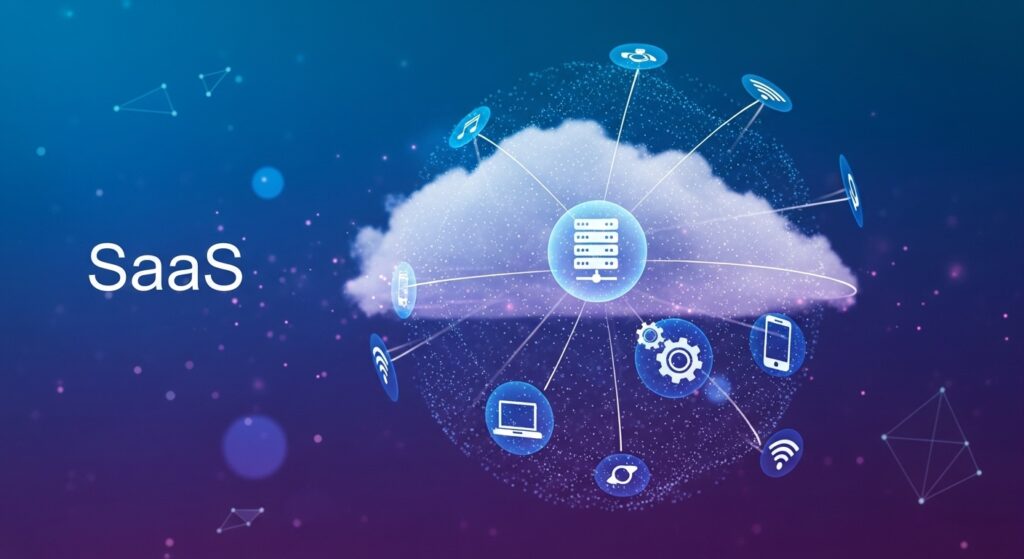
In the rapidly evolving digital landscape of 2026, understanding the architecture of the internet is no longer just for IT professionals—it is a prerequisite for any business leader or tech-savvy consumer. Two terms dominate this conversation: SaaS and cloud computing.
While often used interchangeably, they represent different layers of the modern “digital stack.” If cloud computing is the vast electrical grid that powers a city, SaaS is the specific microwave or television you plug into that grid to get a job done.
This comprehensive guide breaks down everything you need to know about SaaS and cloud computing, from the technical foundations of IaaS and PaaS to the cutting-edge AI-driven trends of 2026.
What is Oracle SIA? The Ultimate Guide to Software Investment Advisory
1. What is Cloud Computing? The “Umbrella” Concept
Cloud computing is the on-demand delivery of computing power, database storage, applications, and other IT resources via the internet with pay-as-you-go pricing. Instead of buying, owning, and maintaining physical data centers and servers, you access technology services from providers like Amazon Web Services (AWS), Microsoft Azure, and Google Cloud.
The Fundamental Shift
Before the cloud, businesses had to invest heavily in hardware. If you wanted to run a website, you bought a physical server, put it in a cooled room, and hired someone to fix it when it broke. Cloud computing turned “computing” into a utility, much like water or electricity. You turn the tap, use what you need, and pay only for the volume you consume.
The Core Pillars of Cloud Computing
To understand the relationship between SaaS and cloud computing, we must look at the three primary service models often referred to as the “Cloud Stack”:
- Infrastructure as a Service (IaaS): This is the foundation. It provides the raw building blocks—virtual servers, storage, and networking. You manage the operating system and applications; the provider manages the hardware.
- Platform as a Service (PaaS): This is the developer’s sandbox. It provides a framework for developers to build and deploy applications without worrying about the underlying infrastructure.
- Software as a Service (SaaS): This is the finished product. It is software delivered over the web, ready for the end-user to consume.
2. What is SaaS (Software as a Service)?
SaaS is a software distribution model where a third-party provider hosts applications and makes them available to customers over the internet. In 2026, SaaS is the most common way businesses and individuals interact with the cloud.
When you log into Salesforce, Slack, or Microsoft 365, you are using SaaS. You don’t “install” the software in the traditional sense; you access it through a browser or a lightweight app.
Key Characteristics of SaaS
- Subscription-Based: Most SaaS follows a monthly or annual subscription model.
- Multitenant Architecture: All users and applications share a single, common infrastructure and code base that is centrally maintained.
- Automatic Updates: The vendor handles all patches and upgrades. You never have to click “Update Now” and wait for a 2GB download.
- Accessibility: As long as you have an internet connection, you can access your data from any device, anywhere in the world.
3. SaaS vs. Cloud Computing: Defining the Relationship
To put it simply: SaaS is a subset of cloud computing. While all SaaS is cloud-based, not all cloud computing is SaaS. Cloud computing is the broad technology that enables the delivery of various services, while SaaS is a specific product delivered via that technology.
The “Pizza as a Service” Analogy
A classic way to understand the difference between SaaS and cloud computing is the pizza analogy:
| Model | Analogy | Who Provides What? |
|---|---|---|
| On-Premise | Made at home | You handle everything (infra, setup, usage) |
| IaaS | Take & Bake | Provider supplies infra; you manage apps |
| PaaS | Pizza delivery | Provider handles platform; you manage usage |
| SaaS | Dining out | Provider handles everything |
On-Premise
IaaS
PaaS
SaaS
Conversion Positioning
- Best Overall: SaaS – easiest, fastest, and fully managed
- Best Budget: IaaS – control costs while offloading infrastructure
- Best for Developers: PaaS – focus on building without managing servers
- Best for Full Control: On-Premise – maximum customization and ownership
4. The Technical Layers: IaaS, PaaS, and SaaS Explained
For those looking for a deeper dive into the technicalities of SaaS and cloud computing, here is how the management responsibilities shift between you (the client) and the provider.
IaaS (Infrastructure as a Service)
IaaS gives you the highest level of flexibility and management control over your IT resources.
- Examples: AWS EC2, Google Compute Engine, Rackspace.
- Usage: Used by system administrators and IT architects to host custom-built applications or large-scale data storage.
PaaS (Platform as a Service)
PaaS removes the need for you to manage the underlying infrastructure (usually hardware and operating systems) and allows you to focus on the deployment and management of your applications.
- Examples: Heroku, Google App Engine.
- Usage: Used by developers to build, test, and host apps quickly and cost-effectively.
SaaS (Software as a Service)
SaaS provides you with a completed product that is run and managed by the service provider.
- Examples: Gmail, Dropbox, HubSpot.
- Usage: Used by end-users (marketing teams, sales, HR, and general consumers) to perform specific tasks.
5. Why Businesses Prefer SaaS and Cloud Computing in 2026
The adoption of SaaS and cloud computing has skyrocketed. According to recent 2026 statistics, the global SaaS market is projected to reach over $211 billion in North America alone (https://www.hostinger.com/tutorials/saas-statistics). But why the rush to the cloud?
A. Scalability and Elasticity
In a traditional setup, if your website traffic doubles, your servers might crash. In a cloud environment, you can scale resources up or down instantly. This is often measured by the Elasticity Ratio:
$$E = \frac{\Delta Resources}{\Delta Demand}$$
If $E = 1$, your system is perfectly elastic, ensuring you never pay for idle resources.
B. Cost Efficiency (CapEx vs. OpEx)
Cloud computing shifts IT spending from Capital Expenditure (CapEx)—buying expensive hardware upfront—to Operational Expenditure (OpEx)—paying a predictable monthly fee. This levels the playing field, allowing startups to access the same high-powered infrastructure as Fortune 500 companies.
C. Disaster Recovery and Reliability
Cloud providers offer “high availability” (HA). Most top-tier providers guarantee 99.99% uptime (the “four nines”).
The formula for calculating downtime is:
$$Downtime = (1 – Availability) \times 365.25 \text{ days}$$
At 99.99% availability, a service is allowed only 52.56 minutes of downtime per year.
6. Advanced Cloud Delivery Models
Understanding SaaS and cloud computing also requires knowing how the cloud is deployed.
- Public Cloud: Services are delivered over the public internet and shared across organizations. (e.g., AWS, Azure).
- Private Cloud: Computing resources are used exclusively by one business or organization. This is often used by government agencies or financial institutions with strict security requirements.
- Hybrid Cloud: A combination of public and private clouds, allowing data and applications to be shared between them. This offers greater flexibility.
- Multi-cloud: A strategy where an organization uses multiple cloud providers (e.g., using AWS for storage and Google Cloud for AI) to avoid “vendor lock-in.”
7. Key Trends Shaping SaaS and Cloud Computing in 2026
The cloud landscape is not static. Here are the major trends currently redefining the industry:
Agentic AI and Autonomous SaaS
By 2026, SaaS is moving beyond simple “tools” to “agents.” Agentic AI allows software to not just store data, but to make work decisions and perform tasks autonomously. For instance, a CRM might not just track leads; it might independently research, contact, and qualify them.
Vertical SaaS
Generic software like Excel is “Horizontal SaaS.” Vertical SaaS refers to software specifically designed for a niche industry, such as Procore for construction or Veeva for life sciences. These are growing faster than horizontal models because they require less customization.
Usage-Based Pricing
The “per-seat” subscription model is fading. In 2026, more SaaS companies are adopting usage-based pricing (or consumption-based pricing). You pay based on the number of emails sent, the amount of data processed, or the number of AI tokens used.
Green Cloud and Sustainability
With increasing ESG (Environmental, Social, and Governance) pressures, cloud providers are racing to be carbon-neutral. Data centers are now being powered by 100% renewable energy, and “Green Cloud” certifications are becoming a major competitive advantage for SaaS vendors (https://cyfuture.com/blog/saas-hosting-the-future-of-scalable-secure-cloud-solutions-in-2026/).
8. Security Challenges in the Cloud Age
While SaaS and cloud computing offer immense benefits, they are not without risks.
- SaaS Sprawl: The average company in 2026 uses over 100 different SaaS applications. This leads to “Shadow IT,” where employees sign up for apps without the IT department’s knowledge, creating security holes.
- Shared Responsibility Model: A common misconception is that the cloud provider is responsible for everything. In reality, the provider secures the “Cloud,” but you are responsible for securing your “Data in the Cloud.”
- Data Sovereignty: Many countries now have laws (like GDPR in Europe) requiring that data about their citizens be stored on servers located within their borders.
Pro Tip: Organizations should implement SaaS Management Platforms (SMPs) to track usage, manage costs, and ensure compliance across their entire software stack.
9. Choosing Between SaaS and Other Cloud Models
Which one is right for you? It depends on your goals:
- Choose SaaS if: You want a quick solution, have limited IT staff, and don’t need to customize the core functionality of the software.
- Choose PaaS if: You are a developer wanting to build a unique app and want to skip the headache of setting up servers and databases.
- Choose IaaS if: You need total control over your virtual environment, are migrating legacy systems, or have specific security configurations that standard SaaS can’t provide.
10. Summary and Conclusion
The synergy between SaaS and cloud computing has democratized technology. It has allowed the “solopreneur” to have the same computing power as a multinational corporation and has enabled a global, remote workforce.
- Cloud Computing is the delivery method—the broad infrastructure of the internet.
- SaaS is the application—the user-friendly software that solves specific problems.
As we move deeper into 2026, the lines between these services will continue to blur, especially with the rise of AI-as-a-Service (AIaaS) and edge computing. Staying informed about these shifts is the only way to remain competitive in a world that is increasingly “cloud-first.”
How to Migrate Your EHR Data Safely: The Complete 2026 Guide
References and Further Reading
- Gartner: Forecast for Worldwide Public Cloud Services
- Hostinger: 2026 SaaS Market Growth and Statistics
- BetterCloud: The State of SaaS Management 2026
- Microsoft: What is the Cloud?
- Salesforce: What is SaaS?
- Cyfuture: The Future of SaaS Hosting in 2026