
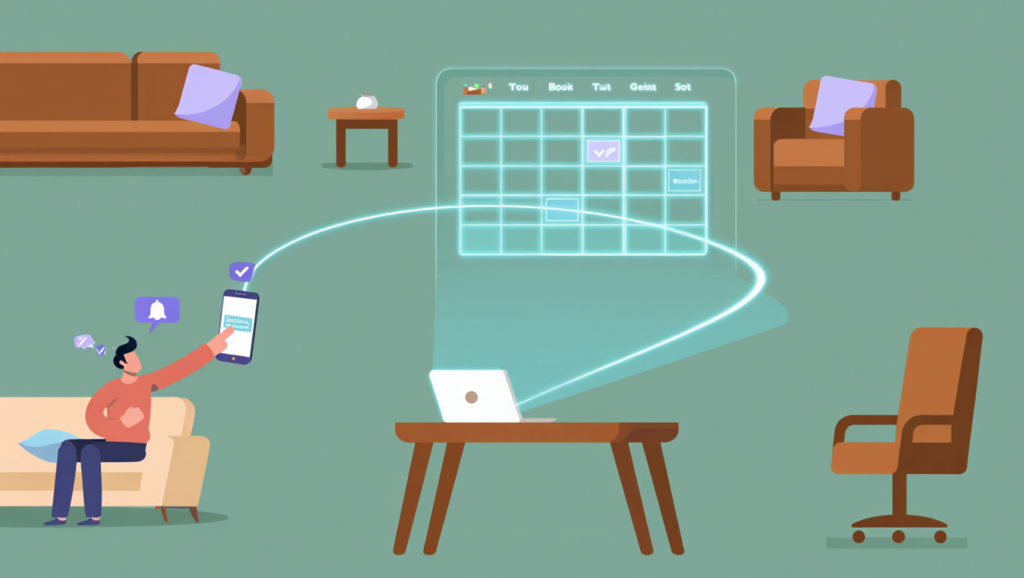
You are likely familiar with the “game” of phone tag that happens every Monday morning. You finish a session, check your voicemail, and find three potential clients asking for your availability. By the time you call them back between sessions, they have already reached out to two other therapists who might have responded faster.
This administrative bottleneck does more than just drain your energy; it costs your practice thousands of dollars in lost revenue every year. When you rely on manual scheduling, you are essentially telling modern clients—who prefer booking a haircut or a doctor’s visit with two taps—that your practice is stuck in the past. In 2026, the barrier to entry for mental health care should not be your voicemail inbox.
This guide provides a comprehensive roadmap on how to set up online booking for a therapy practice while maintaining strict clinical standards. We will look at the specific steps to automate your intake, compare the industry’s leading software, and ensure your system is fully HIPAA-compliant. By the end of this article, you will have a clear plan to reclaim five to ten hours of your week.
⚡ QUICK ANSWER
To effectively learn how to set up online booking for a therapy practice, you must choose a HIPAA-compliant platform like SimplePractice or Jane, sync your clinician availability, and embed a booking widget on your website. This process involves configuring your intake forms to send automatically upon booking and setting up automated SMS reminders to reduce no-shows. For most solo practitioners in 2026, using an all-in-one EHR (Electronic Health Record) system is the most efficient way to handle both scheduling and clinical documentation.
Why Therapy Businesses Need Online Booking Systems
The shift toward digital first-contact points is no longer a trend; it is a baseline expectation for clients in 2026. If you are still handling every initial inquiry via email or phone, you are creating a friction point that many clients—especially those dealing with anxiety or depression—may not have the “spoon” capacity to overcome. Online booking lowers the barrier to seeking help.
Beyond client convenience, online booking is a foundational pillar of therapy practice automation. When a client selects their own time slot, the software can simultaneously trigger a sequence of events: sending a practice policy form, collecting credit card information, and generating a unique HIPAA-compliant telehealth link. This removes the manual “onboarding” weight from your shoulders.
Furthermore, automated systems significantly impact your bottom line by reducing “no-show” rates. Most modern booking tools include automated SMS and email reminders that are far more reliable than manual checks. In a field where a single missed session can mean a $150 loss, these systems usually pay for themselves within the first month of implementation.
How We Evaluated These Booking Tools
Selecting the right software for a mental health professional requires a more rigorous filter than selecting a tool for a gym or a hair salon. We evaluated the following platforms based on five core pillars essential for a thriving private practice in 2026.
HIPAA and GDPR Compliance was our first non-negotiable metric. Any tool that does not offer a Business Associate Agreement (BAA) was immediately disqualified, as protecting Protected Health Information (PHI) is your primary legal obligation. We also prioritized Ease of Use, specifically looking at how quickly a non-technical therapist can navigate the dashboard.
Our evaluation also heavily weighted Integration Capabilities. We looked at how well these tools communicate with Google Calendar, insurance billing clearinghouses, and payment processors like Stripe. Finally, we analyzed Pricing Transparency and the quality of Customer Support, ensuring that if your sync breaks at 8:00 AM on a Monday, you aren’t left stranded.
SimplePractice — Full Review
SimplePractice remains the dominant leader for solo practitioners and small group practices looking for an all-in-one solution. It isn’t just a booking tool; it is a full Electronic Health Record (EHR) system that handles everything from the first “click” to the final insurance claim. Its “Client Portal” is widely considered the most intuitive interface for patients on the market today.
Key Features
The standout feature of SimplePractice is its Auto-Pay system, which allows you to charge clients automatically after a session ends. It also features a robust template library for Wiley Treatment Planners, making it easy to link your booking system directly to clinical goals. The 2026 updates have introduced AI-assisted note-taking summaries that can be triggered right after a booked session concludes.
Pricing
Pricing for SimplePractice in 2026 follows three main tiers:
- Starter: $29/month (Basic features, no online booking).
- Essential: $69/month (Includes online booking and professional website).
- Plus: $99/month (Includes customized forms and multi-clinician support).
- Note: Telehealth is often an additional $15/month add-on depending on current promos.
Best For
This tool is best for solo practitioners who want a “set it and forget it” system. If you want your intake forms, billing, scheduling, and video sessions all under one roof, this is your best option.
Limitations
The primary limitation is the cost for group practices. As you add more clinicians, the price scales quickly compared to more specialized group tools. Additionally, some users find the “Professional Website” builder a bit restrictive if they want a highly custom design.
TherapyNotes — Full Review
TherapyNotes is the “old reliable” of the behavioral health world, known for its incredibly stable architecture and clinical focus. While its user interface looks a bit more traditional (some might say “dated”) compared to SimplePractice, its workflow is optimized for speed and high-volume billing. It is a powerhouse for practices that handle a lot of insurance claims.
Key Features
Their robust billing engine is the highlight here, offering seamless integration with clearinghouses for electronic claim filing. The online booking portal is functional and clean, allowing clients to see real-time availability across multiple office locations. In 2026, they have improved their “To-Do” list feature, which syncs with your calendar to ensure you never miss a note for a booked appointment.
Pricing
TherapyNotes pricing as of 2026:
- Solo: $59/month for the first clinician.
- Group: $59/month for the first clinician + $30/month for each additional clinician.
- Non-Profit: Special discounted rates are available upon verification.
Best For
TherapyNotes is best for insurance-heavy group practices. If you have a biller on staff or handle dozens of claims a week, the reporting and tracking features here are superior to almost any other EHR.
Limitations
The mobile experience is not as polished as some of its competitors. While it works on tablets and phones, it feels more like a desktop-first application, which can be frustrating for therapists who work on the go.
Jane — Full Review
Jane (often referred to as Jane.app) has seen a massive surge in popularity among therapists in the USA, UK, and Canada over the last few years. Originally built for multi-disciplinary clinics, it has been refined into a beautiful, highly flexible tool for mental health professionals. It strikes a rare balance between “pretty” and “powerful.”
Key Features
The online booking “flow” in Jane is arguably the best in the industry; it feels modern and high-end for the client. One of its unique features is the “Waitlist” management, which can automatically notify clients if a preferred time slot opens up due to a cancellation. This feature alone can save a practice thousands by keeping the calendar full without manual intervention.
Pricing
Jane offers two primary plans in 2026:
- Base Plan: Approximately $79/month (Includes all scheduling and charting).
- Insurance Plan: Approximately $109/month (Includes integrated insurance billing and EDI files).
Best For
Jane is best for multi-disciplinary clinics or therapists who value aesthetics and user experience. If you want your booking page to feel like a premium boutique experience, Jane is the winner.
Limitations
The learning curve can be slightly steeper than SimplePractice because there are so many customization options. You might spend a few extra hours in the setup phase to get the “look” exactly right.
Calendly — Full Review
Calendly is not a dedicated therapy EHR, but it is one of the most popular general scheduling tools in the world. Many “coaching-style” therapists or those just starting out use Calendly because of its extreme simplicity and free entry point. However, using it for therapy requires a very specific setup to ensure you aren’t violating federal privacy laws.
Key Features
The ease of integration is Calendly’s superpower. It syncs perfectly with Google Calendar, Outlook, and iCloud, ensuring you never double-book your personal life with your professional one. You can set “buffers” between appointments automatically, which is vital for therapists who need ten minutes to decompress and finish notes between sessions.
Pricing
- Free: Not recommended for therapy (no HIPAA).
- Professional: $16/month (Requires a signed BAA for HIPAA compliance).
- Teams: $20/month per user.
- Note: You must be on a paid plan to access the HIPAA features.
Best For
Calendly is best for therapists who already have a separate system for notes and billing. If you use paper charts or a simple Word-based system and just need a “booking button,” this is the most cost-effective way to get started.
Limitations
The biggest drawback is that it is not an EHR. It does not store clinical notes, it doesn’t handle insurance, and it doesn’t have a secure client portal for document sharing. You will still need other tools to run a full practice.
Acuity Scheduling — Full Review
Acuity Scheduling (now owned by Squarespace) is a robust standalone scheduler that offers deep customization. It is particularly popular with therapists who have built their websites on Squarespace, as the integration is native and seamless. It offers a more “rugged” set of features than Calendly, allowing for complex intake forms during the booking process.
Key Features
Acuity allows for extensive form customization, meaning you can ask detailed screening questions before a client even lands on your calendar. You can also offer “packages” or “subscriptions,” which is excellent for therapists who sell bundles of sessions upfront. In 2026, its “Powerhouse” plan includes full HIPAA compliance with a signed BAA.
Pricing
- Growing: $27/month (No HIPAA).
- Powerhouse: $61/month (This is the only plan that is HIPAA-compliant).
Best For
Acuity is best for therapists with a Squarespace website who want a highly customized intake process. It’s also great if you offer non-standard sessions, like 90-minute intensives or group workshops.
Limitations
Like Calendly, it is not a clinical record system. You are paying $61/month just for scheduling; for a similar price, you could have a full EHR like SimplePractice that handles everything.
Side-by-Side Comparison Table
| Feature | SimplePractice | TherapyNotes | Jane | Calendly | Acuity |
|---|---|---|---|---|---|
| Primary Focus | Solo EHR | Group/Insurance | UX-focused | Scheduling | Custom forms |
| HIPAA Ready | Yes | Yes | Yes | Yes (paid) | Yes (paid) |
| Starting Price | $29/mo | $59/mo | ~$79/mo | $16/mo | $61/mo |
| Booking Widget | Yes | Yes | Yes | Yes | Yes |
| Insurance Billing | Yes | Yes | Yes | No | No |
| Telehealth | Yes | Yes | Yes | No (integrations) | No (integrations) |
| Client Portal | Best-in-class | Standard | High quality | None | None |
SimplePractice
TherapyNotes
Jane
Calendly
Acuity
Conversion Positioning
- Best Overall: SimplePractice – all-in-one solution with top-tier client experience
- Best Budget: Calendly – lowest cost for basic scheduling needs
- Best for Growth: TherapyNotes – ideal for group practices and insurance workflows
- Best for UX: Jane – superior design and client experience
Which Should You Choose?
Now that you’ve seen the landscape, the question remains: which tool fits your specific workflow? The answer usually depends on your practice’s size and your relationship with insurance.
If you are a solo practitioner starting out, go with SimplePractice. It is the path of least resistance because it handles your notes, your billing, and your booking in one tab. You won’t have to worry about connecting different pieces of software, which reduces the “tech headache” significantly.
If you run a group practice with multiple clinicians, TherapyNotes or Jane are the better bets. TherapyNotes excels at the “boring” but essential tasks of bulk billing and supervision tracking. Jane, on the other hand, offers a more modern feel that can help your group practice stand out as a premium brand in a crowded market.
If you are on a strict budget and already have a way to do notes, Calendly (on the Professional plan) is a solid bridge. However, most therapists eventually find that having separate tools for scheduling, notes, and billing becomes a logistical nightmare. In the long run, an all-in-one EHR is almost always the more profitable choice.
Section 179 and Tax Deductions for Software
When you are calculating the ROI of learning how to set up online booking for a therapy practice, don’t forget the tax benefits. In the United States, software subscriptions used exclusively for business are generally fully deductible. While Section 179 is often associated with heavy equipment or “off-the-shelf” software purchases, most modern SaaS (Software as a Service) fees can be deducted as an operating expense under IRC Section 162.
This means that a $100/month subscription may actually only cost you $70-$80 after-tax, depending on your bracket. Always consult with a CPA to ensure you are maximizing your “Section 179” or general business deductions. This effectively lowers the “barrier to entry” for premium tools like Jane or SimplePractice.
What to Look for in a Therapy Booking Tool
When you are browsing options beyond this list, you must use a specific set of criteria to ensure you don’t get stuck in a contract with a tool that doesn’t serve your clinical needs.
- BAA Availability: Never enter client data into a system without a signed Business Associate Agreement. This is the legal document that makes a company liable for protecting your client’s data.
- Calendar Sync: The tool must have 2-way sync with your personal calendar. You don’t want a client booking a session during your kid’s dental appointment just because you forgot to manually block it out.
- Automated Reminders: Look for a tool that allows you to customize the timing of SMS and email reminders. A 24-hour reminder is standard, but some practices find a 48-hour reminder more effective for Monday appointments.
- Credit Card Integration: You should be able to require a card on file at the time of booking. This is the most effective way to enforce your cancellation policy.
- Intake Automation: The best tools send the “paperwork” the moment the appointment is confirmed. If you are still handing out clipboards or emailing PDFs, you are wasting time.
- Mobile Accessibility: You should be able to check your schedule and change your availability from your phone. Many “old school” medical tools have terrible mobile interfaces.
People Also Ask (PAA)
How do I make my booking HIPAA-compliant?
To make online booking HIPAA-compliant, you must use a platform that offers a Business Associate Agreement (BAA). You must also ensure that the information collected during the booking process is the “minimum necessary” to schedule the appointment. Avoid having clients put sensitive clinical details into a public-facing booking comment box; save that for the secure intake forms.
Can I link online booking to my Google Calendar?
Yes, most top-tier therapy tools like SimplePractice and Jane offer 2-way sync with Google Calendar. This means that if you add a personal event to your Google Calendar, that time slot will automatically disappear from your professional booking page. This prevents double-booking without requiring you to manage two separate schedules constantly.
Should I offer a “Book Now” button on my website?
Absolutely. Modern SEO research shows that “Book Now” buttons significantly increase conversion rates for therapy websites. High-intent clients often search for therapists late at night when your office is closed; if they can’t book a slot or at least a consultation right then, they may continue their search and find someone else.
Do I need a separate website for online booking?
No, you do not need a separate website. Most booking tools provide you with a “widget” or a “snippet of code” that you can paste directly onto your existing WordPress, Squarespace, or Wix site. If you don’t have a website at all, many EHRs like SimplePractice provide a simple professional landing page as part of their monthly fee.
How do I handle 24-hour cancellation policies with online booking?
You can set your booking software to “lock” changes within a certain window. For example, you can allow clients to book or reschedule on their own up until 24 or 48 hours before the session. If they try to cancel after that window, the system can prevent them from doing so and prompt them to contact you directly, allowing you to charge the late fee.
What is the best booking software for a solo therapist?
For most solo therapists, SimplePractice is the gold standard because of its comprehensive feature set. It minimizes the number of tools you have to learn. However, if you are strictly focused on aesthetics and a premium client experience, Jane is a very close second and offers more flexibility in terms of visual design.
Frequently Asked Questions
Is online booking safe for my clients’ privacy?
Yes, as long as you use a platform that is specifically designed for healthcare. These platforms use bank-level encryption and secure servers to ensure that “data at rest” and “data in transit” are protected. Always verify that the “HTTPS” padlock is present on your booking page and that your provider has a clear privacy policy regarding therapist-client data.
Can I require payment at the time of booking?
Yes, most modern booking tools integrate with Stripe or Square to allow for “pre-payment.” This is particularly common for initial consultation fees or for private-pay practices. You can choose to either charge the full amount upfront or simply “authorize” the card to ensure it is valid before the session occurs.
How long does it take to set up online booking?
If you have your availability ready, a basic setup takes about 2 to 4 hours. This includes syncing your calendar, setting up your “services” (e.g., 50-minute individual session), and embedding the button on your website. Customizing your intake forms and automated email templates may take an additional few days of “tweaking” to get perfect.
Can I use Calendly for therapy appointments?
You can, but only if you use the Professional, Teams, or Enterprise plans. These are the only versions of Calendly that allow for HIPAA compliance and a signed BAA. You must also be careful not to ask for any clinical information in the custom questions, as Calendly’s data storage is not as robustly “clinical” as a dedicated EHR.
What happens if a client books a slot but isn’t a good fit?
You should always set your booking system to “Request” mode rather than “Instant Book.” This allows the client to pick a time, but the appointment is not confirmed until you review it. This gives you the chance to do a quick 10-minute screening call or check their insurance before officially adding them to your caseload.
Does online booking work for telehealth sessions?
Online booking is actually the most efficient way to manage telehealth. When a client books a “Video Session” through a tool like Jane or SimplePractice, the system automatically generates a unique, secure link and sends it to the client in their confirmation email. This eliminates the “Where is the link?” emails that often delay the start of sessions.
[read: HIPAA Security Rule Summary → HHS.gov]
Conclusion
Transitioning to an automated system is the single most effective way to modernize your practice and reduce administrative burnout. By learning how to set up online booking for a therapy practice, you are not just buying software; you are buying back your time. Whether you choose the clinical robustness of TherapyNotes, the all-in-one ease of SimplePractice, or the beautiful interface of Jane, the result is the same: a more professional, accessible practice.
The most important step is to start. Don’t let the fear of “tech” prevent you from offering a better experience for your clients. Most of these tools offer free trials, allowing you to test the workflow before committing to a monthly fee.
If you are ready to stop playing phone tag and start focusing on your clinical work, we recommend beginning with a trial of the platform that best fits your insurance needs.
Start your free 30-day trial of SimplePractice today to see how easy it is to automate your intake and scheduling—no credit card required.
Pricing and features mentioned are based on available data as of 2026. Please verify current plans on the respective provider’s website before purchasing.