
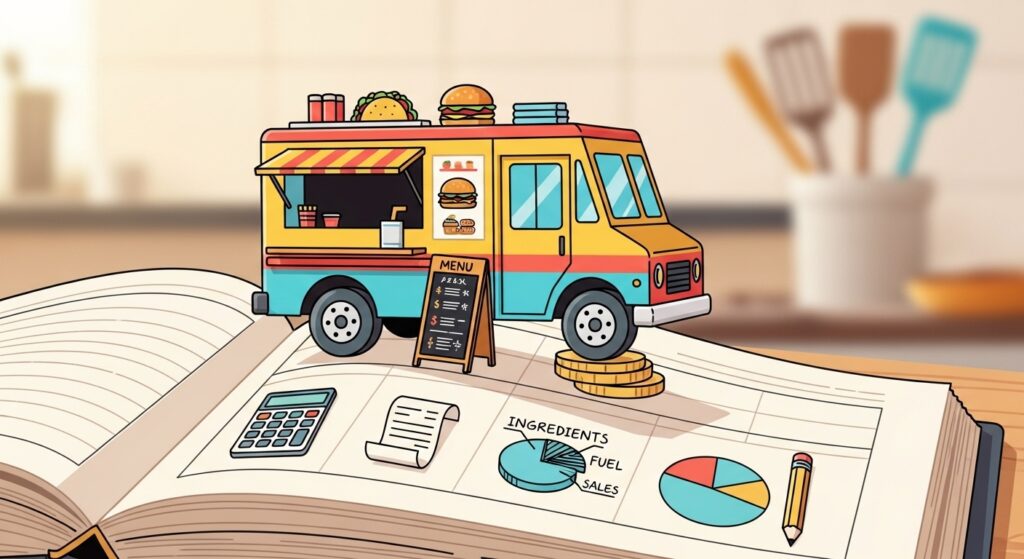
Most food truck owners know their way around a flat top grill better than a spreadsheet — and that’s perfectly fine, until tax season hits and you can’t tell if you actually made money last month. The restaurant industry runs on notoriously thin profit margins of 3–5%, and food trucks aren’t immune to that reality. Mix in daily cash sales, POS transactions, weekend events, fuel receipts, and commissary fees, and your finances can spiral into chaos faster than a busy Friday lunch rush.
This guide walks you through exactly how to do bookkeeping for a food truck business — step by step, without the accounting jargon. By the end, you’ll have a clear system for tracking every dollar in and out, know which tools actually work for mobile food operators, and be ready to hand your accountant organised, accurate records instead of a shoebox full of crumpled receipts.
Whether you’re just launching your truck or you’ve been running one for years without a proper system, this is where you start.
⚡ QUICK ANSWER
To do bookkeeping for a food truck business, open a dedicated business bank account, choose a cash-basis accounting method, record daily sales from your POS system, categorise all expenses (food costs, fuel, permits, labour), reconcile weekly, and use cloud-based software like QuickBooks Online or Wave to automate the process. Consistent daily habits and the right software eliminate most of the pain.
What You’ll Need Before You Start
Before you set up any system, a few foundational pieces need to be in place. Skipping these steps is one of the most common reasons food truck owners end up with messy books.
A separate business bank account. This is non-negotiable. Mixing personal and business money turns bookkeeping into a nightmare and creates problems during a tax audit. Open a dedicated checking account for your food truck — most banks offer free or low-cost business accounts for sole proprietors and LLCs.
A registered business structure. Know whether you’re operating as a sole proprietor, single-member LLC, or partnership. Your structure affects how you pay taxes and how you pay yourself, and it should be established before you record your first transaction.
A point-of-sale (POS) system. If you’re still running entirely on cash with no digital record, fix this immediately. A POS system like Square (more on this below) tracks every sale automatically and gives you end-of-day sales reports you can import directly into your accounting software.
A receipt capture system. Every expense needs documentation. Either commit to photographing receipts the moment you spend money, or use an app that does it for you. The IRS requires documentation for business deductions, and “I paid cash at the wholesale market” doesn’t hold up without proof.
A clear list of your expense categories. Before entering a single number, decide how you’ll categorise costs. Common food truck expense categories include:
- Cost of Goods Sold (COGS) — ingredients, packaging, consumables
- Vehicle expenses — fuel, maintenance, truck payment or depreciation
- Location fees — commissary kitchen rent, event pitch fees, parking permits
- Labour — wages, payroll taxes
- Licensing and permits — health department, business license, food handler certifications
- Marketing — social media ads, signage, website
- Insurance — commercial vehicle, general liability
- Equipment — small wares, repairs, replacement items
Getting these categories right from the start means every transaction has a home, and your profit and loss report actually means something.
Step-by-Step: How to Do Bookkeeping for a Food Truck Business
Step 1: Choose Your Accounting Method
The cash method is the right choice for almost every food truck operation. With cash-basis accounting, you record income when you receive it and expenses when you pay them. It’s straightforward, it matches the reality of how a food truck operates (customers pay you immediately), and the IRS only requires accrual accounting if your gross receipts exceed $25 million annually — not a concern for most mobile vendors.
Accrual accounting records transactions when they’re earned or incurred, regardless of when cash changes hands. This is more complex and rarely necessary at the food truck scale. Stick with cash-basis until your accountant tells you otherwise.
Once you’ve chosen your method, stick to it consistently. Switching mid-year creates problems and may require IRS approval.
Step 2: Set Up Your Chart of Accounts
A chart of accounts is simply a structured list of every financial category your business uses. Think of it as the filing system for all your money. Most bookkeeping software will generate a default chart of accounts, but you need to customise it for your food truck.
Your food truck chart of accounts should include:
Income accounts:
- Food sales (counter/walk-up)
- Catering sales
- Event sales
- Tips received (if pooled and distributed through payroll)
Expense accounts:
- Food and beverage purchases (COGS)
- Paper goods and packaging
- Fuel
- Truck lease or loan payment
- Commissary/kitchen rental
- Event fees and pitch costs
- Health permits and licenses
- Payroll and contract labour
- Marketing and advertising
- Insurance premiums
- Equipment repairs and maintenance
- Merchant processing fees (Square, Stripe, etc.)
Most software lets you add custom accounts in minutes. Do this during initial setup and you won’t have a pile of uncategorised transactions to sort out later.
Best Accounting Software for Food Trucks in 2026 (Track Sales, Expenses & Profit on the Go)
Step 3: Record Daily Sales the Right Way
Your POS system is your best friend here. At the end of every service day, pull your sales report and record total revenue broken down by payment type: cash, card, and any digital payments (Venmo, CashApp). Do not lump it all into one number.
This matters because cash and card sales need to be reconciled differently. Cash must be physically counted and matched to your POS report. Card sales will appear in your bank account 1–2 business days later. If you’re not tracking this separately, you’ll constantly struggle to explain why your bank balance doesn’t match your sales total.
The daily habit that changes everything: Spend 5–10 minutes at the end of each service recording:
- Total gross sales (from POS)
- Cash taken in vs. deposited
- Any large expenses paid that day
- Ending inventory estimate (optional, but useful)
That’s it. If you do this every day, your weekly reconciliation takes 20 minutes instead of three hours.
Step 4: Track Every Expense — Including the Ones You Forget
Food trucks have expense categories that brick-and-mortar restaurants don’t think about. The big ones food truck owners routinely miss or under-record:
Fuel. Every gallon you put in that truck is a deductible business expense. Keep a small notebook or use a mileage app. If you use the truck for any personal driving, you need to separate that mileage — you can only deduct the business portion.
Commissary kitchen fees. If you’re renting prep kitchen space, that’s fully deductible as business rent. Get a monthly invoice from your commissary and file it.
Event and pitch fees. Farmers markets, festivals, and private events often charge vendors for a spot. These fees are ordinary and necessary business expenses.
Merchant processing fees. Square, Stripe, and similar services take 2–3% of every card transaction. These fees are deductible and they add up fast on high-volume days. Many owners forget to track these because they come out automatically before the money hits the bank.
Equipment purchases and repairs. A new griddle, a replacement generator, or a refrigerator repair all count as business expenses. Keep every receipt.
Uniforms and branded merchandise. If you buy shirts or aprons branded for your business, those are deductible. Plain clothing typically is not.
Nutrition Practice Management Software Comparison (Complete Guide for Dietitians in 2026)
Step 5: Reconcile Your Accounts Weekly
Bank reconciliation means comparing what’s in your accounting software against what’s actually in your bank account. Doing this weekly catches errors before they compound.
The process is simple:
- Download your bank statement (or connect your bank via your accounting software’s auto-sync)
- Match every line item in your software to a corresponding bank transaction
- Investigate anything that doesn’t match — a missing receipt, a duplicate entry, or bank error
- Mark everything as reconciled
Most food trucks have a manageable transaction volume — if you’re doing 50–150 transactions a week, reconciliation shouldn’t take more than 30 minutes. If it takes longer, your daily recording habits aren’t consistent enough.
Step 6: Run Monthly Financial Reports
Once your data is clean and reconciled, your reports tell the real story of your business. The three reports every food truck owner should review monthly:
Profit and Loss (P&L) Statement. Shows your total revenue minus all expenses, giving you net profit or loss for the period. This is your business health report card. Compare it month over month to spot trends — is your food cost percentage creeping up? Are fuel costs spiking?
Cash Flow Statement. Shows how money actually moves through your business. A food truck can be profitable on paper but cash-flow negative if payments for a big catering event are delayed. This report prevents nasty surprises.
Balance Sheet. Shows what your business owns (assets — truck, equipment, cash) versus what it owes (liabilities — loan balances, outstanding bills) and the resulting equity. Less critical for a small food truck day to day, but essential if you’re seeking financing or planning expansion.
Review these three reports every month, even if it takes only 15 minutes. Patterns become obvious quickly, and you’ll start making better purchasing and pricing decisions.
Step 7: Prepare for Quarterly and Annual Taxes
Food truck owners in the US are typically required to make estimated quarterly tax payments to the IRS (and to their state tax authority) if they expect to owe $1,000 or more in taxes for the year. Missing these payments triggers penalties and interest — a headache that’s completely avoidable.
Set aside 25–30% of your net profit in a separate savings account every month. When quarterly estimated tax deadlines arrive (typically April 15, June 15, September 15, and January 15), you’ll have the money ready.
Keep your books current through the year and tax prep becomes far less painful. Your accountant or tax preparer charges by the hour — handing them organised digital records saves real money.
Tools That Make Food Truck Bookkeeping Significantly Easier
Manual spreadsheets work, but they don’t scale and they leave too much room for error. The right software automates the tedious parts — bank feeds, categorisation, reports — so you spend minutes instead of hours on bookkeeping. Here are the five tools best suited to food truck operators in 2026.
QuickBooks Online
QuickBooks Online is the most widely used small business accounting software in the US, and for good reason. Its integration with thousands of apps — including Square, Stripe, and PayPal — means your sales data can flow in automatically without manual entry.
Key Features
- Automatic bank and credit card transaction import
- Customisable chart of accounts with food/restaurant-specific categories
- Mobile app for receipt capture and expense entry on the go
- Robust P&L, cash flow, and balance sheet reports
- Inventory tracking available on Plus and Advanced plans
- Direct integration with Square POS (food truck favourite)
- Payroll add-on available for teams
Pricing QuickBooks Online offers four plans (pricing as of 2026 — verify on provider’s website):
- Simple Start: ~$30/month — 1 user, basic income/expense tracking
- Essentials: ~$60/month — 3 users, bill management, time tracking
- Plus: ~$90/month — 5 users, inventory, class/location tracking
- Advanced: ~$200/month — up to 25 users, dedicated support
For most solo food truck operators, Essentials is the sweet spot. If you have employees and want location-based reporting (tracking sales at different event spots), Plus adds real value.
Best For Food truck operators who want the most accountant-compatible software, plan to grow, or have an existing relationship with a bookkeeper who uses QuickBooks. The learning curve is steeper than Wave or FreshBooks, but the depth is unmatched.
Limitations Price is the biggest barrier. QuickBooks is the most expensive option on this list. The interface can feel overwhelming for first-time users, and many features you’d expect are locked behind higher-tier plans or paid add-ons.
Xero
Xero is QuickBooks’ most serious competitor and a favourite among bookkeepers who work with small food businesses. Its standout feature for food trucks is unlimited users on all plans — even the entry-level tier — which means you, your accountant, and a part-time bookkeeper can all access the same account without paying extra.
Key Features
- Clean, modern interface that’s genuinely easier to learn than QuickBooks
- Unlimited users on every plan
- Over 1,000 third-party app integrations via the Xero App Marketplace
- Strong bank reconciliation with smart matching
- Inventory tracking built into mid-tier plans
- Multi-currency support (useful for Canadian/Australian food truck operators)
- Square and Stripe integrations available
Pricing Xero offers three plans (pricing as of 2026 — verify on provider’s website):
- Early: ~$15/month — limited to 20 invoices and 5 bills per month
- Growing: ~$42/month — unlimited invoices and bills, bank reconciliation
- Established: ~$78/month — multi-currency, expenses, project tracking
Most food trucks will need the Growing plan. The Early plan’s transaction limits are too restrictive for any active vendor.
Best For Food truck owners who want a modern, collaborative tool and may share access with a remote bookkeeper or accountant. Also a strong choice for operators in Canada, Australia, and the UK where Xero has deep regional support.
Limitations Payroll is not built in and requires a third-party integration in most regions. The lower-tier plans are feature-limited in ways that can catch new users off guard.
FreshBooks
FreshBooks started as an invoicing tool and has grown into a full accounting platform. For food trucks that do catering, private events, or corporate accounts — where you’re invoicing clients rather than just selling at the window — FreshBooks handles that workflow better than any other option on this list.
Key Features
- Best-in-class invoicing with customisable templates, automated reminders, and online payment acceptance
- Expense tracking with receipt scanning via the mobile app
- Time tracking for billable hours (useful for catering contracts)
- Client portal where customers can view and pay invoices
- Basic P&L and tax summary reports
- Integration with Stripe, PayPal, and Square
Pricing FreshBooks offers four plans (pricing as of 2026 — verify on provider’s website):
- Lite: ~$21/month — up to 5 clients, basic expense tracking
- Plus: ~$38/month — up to 50 clients, proposals, recurring invoices
- Premium: ~$65/month — unlimited clients, advanced reports
- Select: Custom pricing — dedicated account manager
Most food trucks with catering income will need the Plus plan.
Best For Food truck operators who do regular catering gigs, private events, or corporate lunch contracts where invoicing is a significant part of their business model. If you’re mostly selling walk-up at the window, a different tool likely serves you better.
Limitations FreshBooks is lighter on accounting depth than QuickBooks or Xero. It lacks robust inventory tracking, and its reporting suite is less detailed. Not the best fit for a food truck with multiple employees or complex COGS tracking.
Square
Square is not accounting software — it’s a point-of-sale system. But it belongs on this list because it’s the most popular POS among food truck operators, and when paired with proper bookkeeping software, it forms the backbone of a complete financial system.
Key Features
- Free card reader and basic POS app
- Daily sales reports broken down by item, category, and payment type
- Tip management and employee time tracking
- Customer database and loyalty program tools
- Online ordering integration
- Direct integration with QuickBooks Online, Xero, and FreshBooks
- Offline mode that syncs when connectivity returns (critical for festival environments)
Pricing
- Free plan: 2.6% + $0.10 per in-person transaction — no monthly fee
- Square for Restaurants (Plus): $60/month — advanced menu management, floor plans (less relevant for trucks)
- Square for Restaurants (Premium): Custom pricing
For most food trucks, the free Square plan is all you need. Transaction fees are standard across the industry, and the free POS software is genuinely capable.
Best For Every food truck should be using Square or a comparable POS system. Use it to capture every sale and generate daily sales reports, then connect it to your accounting software so the numbers flow automatically.
Limitations Square is not a bookkeeping replacement. It tracks sales and payments but doesn’t handle expense categorisation, bank reconciliation, or tax reporting. You need accounting software alongside it.
Wave
Wave is free accounting software — genuinely free for core bookkeeping features, not a limited trial. For a solo food truck operator on a tight budget, it’s a compelling starting point that handles the basics well without costing a dollar per month.
Key Features
- Free invoicing and expense tracking (unlimited)
- Bank and credit card connection for automatic transaction import
- Basic P&L, cash flow, and balance sheet reports
- Receipt scanning via mobile app
- Free payroll available in select US states (paid payroll in others)
- Connects with Square via Zapier
Pricing
- Wave Accounting: Free
- Wave Pro: ~$16/month — automated receipt scanning, unlimited expense reports
- Wave Payroll: $6/month per employee (varies by state)
- Payment processing fees apply when accepting payments through Wave
Best For Brand-new food truck operators, side-hustle vendors, or anyone who needs to track income and expenses without monthly software costs. Wave is genuinely capable for a single-truck solo operation.
Limitations Wave’s integration ecosystem is much smaller than QuickBooks or Xero, and its Square connection requires Zapier (which has its own cost and setup friction). Customer support is limited for free users, and the product scales less smoothly as your business grows. The mobile experience also lags behind competitors.
Side-by-Side Comparison Table
| Feature | QuickBooks Online | Xero | FreshBooks | Square | Wave |
|---|---|---|---|---|---|
| Starting Price | $30/mo | $15/mo | $21/mo | Free | Free |
| Primary Role | Full accounting | Full accounting | Invoicing + accounting | POS | Basic accounting |
| Mobile App | ★★★★☆ | ★★★★☆ | ★★★★★ | ★★★★★ | ★★★☆☆ |
| Square Integration | Native | Marketplace | Via apps | Built-in | Zapier |
| Inventory | Plus+ | Growing+ | Limited | Basic | No |
| Users | Plan-based | Unlimited | No | Unlimited | Unlimited |
| Free Trial | 30 days | 30 days | 30 days | Free plan | Free forever |
| Best For | Growing trucks | Teams/accountants | Catering ops | POS companion | Starters |
| Payroll | Add-on | Integrations | No | Add-on | Limited |
| Accountant Friendly | Excellent | Excellent | Good | N/A | Good |
QuickBooks Online
Xero
FreshBooks
Square
Wave
Tax Deduction Callout: Don’t Leave Money on the Table
💰 Software Subscriptions Are Tax-Deductible Business Expenses
Every dollar you spend on QuickBooks, Xero, FreshBooks, or Square’s paid plan is a deductible business expense under IRS guidelines. Your food truck itself — if used exclusively for commercial food service — may qualify for immediate expensing under Section 179 (2026 federal limit: $2,560,000) or 100% bonus depreciation under the One Big Beautiful Bill Act for property placed in service after January 19, 2025. Commissary rental fees, event permits, merchant processing fees, and health department licenses are all fully deductible. Talk to a CPA familiar with food truck operations to make sure you’re capturing every legal deduction. [read: IRS Publication 535 Business Expenses → irs.gov]
Frequently Asked Questions
What accounting method should a food truck use?
Most food trucks should use the cash method of accounting, where income is recorded when received and expenses are recorded when paid. It accurately reflects how a food truck actually operates — customers pay you immediately and most costs are paid on the spot. The IRS only mandates accrual accounting for businesses with gross receipts exceeding $25 million, so the cash method is appropriate for virtually all food truck operators. Cash-basis bookkeeping is also simpler to maintain without an accountant.
How do I track food truck expenses effectively?
Start by categorising your expenses before you record a single transaction: food costs (COGS), fuel, commissary fees, permits and licenses, labour, equipment, marketing, and merchant processing fees are your core categories. Use a mobile app like QuickBooks or Wave to photograph receipts immediately when you spend money — don’t wait until later. Connect your bank account and business credit card to your accounting software so transactions import automatically. Review and categorise transactions at least once a week to avoid a backlog.
How often should I reconcile my food truck books?
Weekly reconciliation is the right cadence for most food truck operators. With daily sales transactions, weekly event revenue, and regular supply purchases, weekly reconciliation keeps errors small and manageable. Monthly reconciliation is the minimum — anything less frequent and you risk spending hours unravelling months of mismatched transactions. Many food truck owners find that a 20-minute weekly session on Sunday evening keeps everything current without feeling like a burden.
What is the best accounting software for food trucks?
QuickBooks Online is the best overall choice for most food trucks, particularly because of its native Square integration and strong accountant compatibility. Wave is the best free option for solo operators just starting out. Xero is the best choice if you work closely with a bookkeeper or need unlimited user access. FreshBooks is best if catering and invoice-based work make up a significant portion of your revenue. Pair any of these with Square as your POS system to create a complete financial tracking setup for your food truck business in 2026.
Do food trucks need to collect and remit sales tax?
Yes, in almost all US states, food trucks are required to collect sales tax on prepared food sales — though the exact rules vary significantly by state and locality. Some states exempt certain food categories (like grocery-style items) while taxing prepared hot food. If you operate in multiple cities or at events across county lines, you may owe sales tax to multiple jurisdictions. Consult a CPA who specialises in food service, and use a POS system like Square that can automatically apply the correct tax rate by location. [read: State sales tax requirements by state → taxfoundation.org]
Can I do food truck bookkeeping myself, or do I need an accountant?
You can absolutely manage day-to-day food truck bookkeeping yourself, especially with tools like QuickBooks Online or Wave that automate most of the heavy lifting. Daily sales recording, expense categorisation, and monthly reconciliation are all manageable without professional training. Where a CPA earns their fee: quarterly estimated tax calculations, annual tax return preparation, setting up your business entity correctly, and advising on vehicle depreciation and Section 179 deductions. Many food truck owners handle their own bookkeeping year-round and hand organised records to a CPA for tax prep — this approach minimises accounting costs while ensuring compliance.
Best Software for Occupational Therapists in Private Practice (2026)
The Bottom Line
Getting food truck bookkeeping right comes down to three things: a dedicated business bank account, a consistent daily habit of recording sales and expenses, and the right software to tie it all together. The complexity isn’t in the concepts — it’s in building the discipline to do it every day.
For a solo operator just getting started, Wave gives you a solid free foundation. For a truck with employees, multiple revenue streams, or growth ambitions, QuickBooks Online is worth every dollar — especially with its Square integration that automates your daily sales recording. If catering and event invoicing drive your revenue, FreshBooks handles that workflow better than anyone.
The food trucks that close within three years almost universally share one problem: they didn’t know their actual numbers until it was too late to act on them. Your bookkeeping system is what changes that.
If QuickBooks Online fits your operation, you can start a free 30-day trial here — no credit card required for the trial period. Start with your chart of accounts, connect Square, and you’ll have a working system inside an afternoon.