
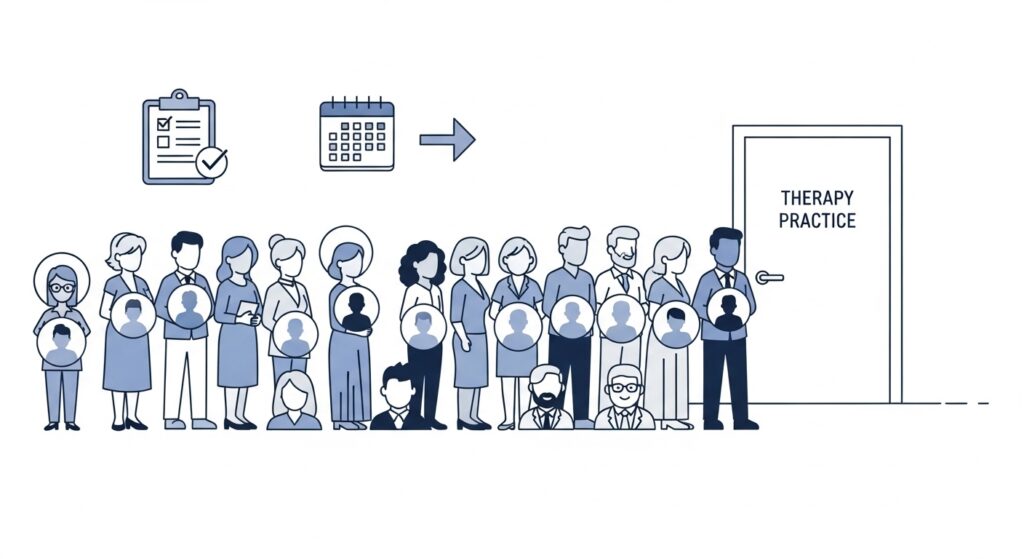
Your caseload is full. A new inquiry lands in your inbox, and you add the name to a spreadsheet — or maybe a sticky note — and tell yourself you’ll follow up when a slot opens. Three weeks later, a client cancels. You scroll back to the list. Half the numbers don’t answer. One email bounces. Another person already found someone else.
This scenario plays out every week in solo and small-group therapy practices across the US, Canada, the UK, and Australia. The demand for mental health services has reached an all-time high — therapist shortages are well-documented, and practices with full caseloads are now the norm, not the exception. But a long waitlist isn’t automatically a business asset. An unmanaged waitlist is a leaky bucket: leads arrive at the top and quietly disappear from the bottom.
This guide on how to manage waitlists in a therapy practice walks you through a complete, practical system for managing client waitlists in a private practice — from setting up intake to automating follow-up to choosing the right software. Whether you’re a solo LCSW seeing 20 clients a week or a small group practice with three clinicians, you’ll finish this article with a real workflow you can implement this week.
⚡ QUICK ANSWER To manage waitlists in a therapy practice effectively, build a structured intake form, triage clients by urgency, automate outreach at regular intervals (every 3–4 weeks), and use practice management software like SimplePractice, TherapyNotes, or Jane App to fill cancellations automatically. The goal isn’t just tracking names — it’s converting waitlisted clients into scheduled sessions before they disengage.
Why Private Practice Therapists Need a Formal Waitlist System
Most therapists build a waitlist the same way they built their first filing system: good enough until it isn’t. A spreadsheet works for three names. It fails at thirty. And without a system, the human cost is real — clients who finally reached out for help sit in silence while you accidentally prioritize whoever happened to call last.
There’s also a revenue problem. A poorly managed waitlist means your schedule stays partially empty even when demand is high. Every week a slot goes unfilled because you couldn’t reach waitlisted clients in time is revenue and impact lost.
The therapist shortage has shifted the dynamic significantly. As one widely cited industry analysis noted, COVID-19 triggered a sustained spike in demand for mental health services at the same moment many experienced clinicians retired or left due to burnout. Clients in major metros are now contacting 20+ providers before finding one with availability. When someone lands on your waitlist, they’re choosing to wait for you — that’s a significant act of trust. Your waitlist system should honor it.
A formal system does five things a scattered list never can:
- Keeps leads warm so they convert when a slot opens
- Lets you triage urgent clients appropriately
- Reduces no-shows from clients who didn’t feel connected during the wait
- Protects your time by automating outreach
- Gives you data on demand patterns so you can plan capacity
Best Software for Occupational Therapists in Private Practice (2026)
What You’ll Need Before You Start
Before you build the system, you need three things in place. Skipping any one of them creates gaps that manual effort can’t reliably fill.
A HIPAA-Compliant Way to Collect Intake Information
Free tools like Google Forms are not HIPAA-compliant and should not be used to collect protected health information (PHI) — even for a simple waitlist. You need a platform that has signed a Business Associate Agreement (BAA) with you, encrypts data at rest, and controls access. The practice management tools reviewed later in this guide all meet this requirement. At minimum, your waitlist intake should capture: full name, preferred contact method (phone/email/text), presenting concern, insurance or self-pay status, preferred appointment days and times, and urgency level.
A Written Waitlist Policy
Put your parameters in writing before your first name goes on the list. Decide: How long will you maintain the list? Will you prioritize by urgency or first-come-first-served? What happens if someone doesn’t respond to three outreach attempts? Do returning clients get priority over new clients? These decisions are ethical ones, not just operational ones. A written policy protects you and sets fair expectations for clients.
A Dedicated Communication Template Set
You’ll be sending the same three or four messages dozens of times a year. Writing them once — and making them good — is far more effective than composing something fresh every time a slot opens. Templates are provided in the steps below.
Step-by-Step: How to Manage Waitlists in a Therapy Practice
Step 1: Build a Tiered Intake Form
Not all waitlisted clients have the same urgency. A person managing long-term anxiety with a stable support system is in a different clinical situation than someone in acute distress following a recent trauma. Your intake form should capture enough information to triage without turning into a full assessment.
Tier 1 (Priority): Presenting concerns involving safety, acute crisis, or recent destabilizing events (grief, job loss, divorce, suicidal ideation in the past 6 months). These clients should be flagged for immediate referral to a crisis line or urgent-care options if the wait exceeds two weeks.
Tier 2 (Standard): Clients managing diagnosed conditions — anxiety, depression, ADHD, PTSD — who are functionally stable but in need of support. These are the core of most waitlists.
Tier 3 (Flexible): Clients seeking personal growth, couples counseling, or life transitions support who have more flexibility on timing.
Your form should include a simple urgency question: “How would you describe your current level of distress? (Stable / Moderate / High)” This single field gives you enough to triage without requiring clinical judgment from an intake form alone.
Intake form template opening message:
“Thank you for reaching out. My caseload is currently full, but I’m maintaining a waitlist for new clients. Completing this form takes about 3 minutes and holds your spot. I’ll be in touch within [X] business days to confirm your place and share what to expect.”
Step 2: Confirm the Spot Within 24–48 Hours
The moment someone submits a waitlist form, they’re wondering if it actually went anywhere. A confirmation within 24–48 hours dramatically reduces the chance they’ll continue contacting other providers. This doesn’t need to be a lengthy email — it needs to be prompt and warm.
Confirmation email template:
Subject: You’re on the waitlist — here’s what to expect
Hi [Name],
Thank you for reaching out. You’re now on my waitlist, and I wanted you to know I received your information.
My current estimated wait is [X weeks/months]. I’ll reach out personally as soon as a slot opens that fits your availability. In the meantime, please don’t hesitate to contact me if your situation changes or becomes more urgent.
If you’re in crisis before we connect, please reach out to the 988 Suicide and Crisis Lifeline (call or text 988) or go to your nearest emergency room.
Warm regards, [Your Name]
This confirmation should be automated if possible. All five tools reviewed in this guide support automated email responses on intake or scheduling actions.
Step 3: Set a Regular Check-In Cadence (Every 3–4 Weeks)
The biggest mistake therapists make with waitlists is going silent between the confirmation and the opening. Clients who don’t hear from you assume they’ve been forgotten. After 6–8 weeks, many will have found another provider — or decided against seeking help at all.
A check-in every three to four weeks does three things: it maintains the relationship, it lets clients opt out if they no longer need a spot (keeping your list clean), and it surfaces anyone whose urgency level has changed.
Check-in message template (for email or SMS):
Hi [Name], this is [Your Name]. I’m checking in to let you know you’re still on my waitlist and I haven’t forgotten about you. My current wait is approximately [X] weeks. If your situation has changed, please reply and let me know. If you’d like to remain on the list, no action is needed. Thank you for your patience.
Keep this short. Do not use this message to gather clinical information. Its purpose is connection and list hygiene, not assessment.
Step 4: Fill Openings with a Priority-Order Outreach System
When a slot opens — whether planned (a client graduates or takes a break) or unplanned (a last-minute cancellation) — you need a clear order of operations.
For planned openings (7+ days’ notice):
- Contact Tier 1 clients first via phone call
- If no response within 24 hours, move to Tier 2
- Send a direct availability message to the top 3–5 on the list, not just one — you’ll need multiple candidates because not everyone will be available for that slot
For unplanned cancellations (same-day or next-day): This is where software earns its cost. Platforms like Jane App and SimplePractice can automatically notify waitlisted clients via SMS when a cancellation occurs, letting them claim the slot without you making a single call. More on this in the tools section.
Opening announcement message template:
Hi [Name], a session slot has opened in my schedule. I have availability on [Day] at [Time]. If you’d like to book this spot, please reply to this message or call me at [number] by [deadline — e.g., end of day]. After that, I’ll offer it to the next person on the list. I look forward to connecting.
Set a response deadline. Without one, clients may respond days later and be disappointed the slot is gone.
Step 5: Offer Alternatives Before Clients Go Cold
If someone has been waiting more than 60–90 days and you genuinely don’t see an opening in the near future, it’s both ethical and good practice to offer alternatives. This might include:
- A referral to a trusted colleague who has availability
- Telehealth sessions if you previously offered only in-person
- Group therapy if your practice offers it (lower cost, shorter wait)
- A psychoeducation resource or workbook to use in the interim
This isn’t turning clients away — it’s actually caring for them. Clients who feel considered during the wait are more likely to return to you when you do have space, and more likely to refer others.
HHS Guidance on HIPAA and Telehealth: The Complete 2026 Compliance Guide
Step 6: Keep Your List Clean — Remove Inactive Contacts
A waitlist with 40 names sounds better than it is if 25 of those people have moved on and just haven’t told you. Review your list monthly. Archive any contact who:
- Hasn’t responded to two consecutive check-ins
- Has explicitly told you they found another provider
- Has a contact method that’s no longer working (bounced email, wrong number)
Send a final “last-contact” message before archiving:
Hi [Name], I’ve tried reaching you a couple of times but haven’t heard back. I want to make sure you’re still interested in a spot on my waitlist. If I don’t hear from you by [date], I’ll remove your name to make room for others. No hard feelings at all — please reach out anytime if you’d like to reconnect. Take care.
Keeping your list accurate means that when a slot opens, you’re not wasting time chasing dead leads.
The 5 Best Tools to Manage Therapy Waitlists in 2026
The right software transforms waitlist management from a manual burden into a nearly automated system. Here’s how the top five tools compare for private practice therapists.
1. SimplePractice — Best All-in-One for Solo Therapists
SimplePractice is the most widely used EHR and practice management platform for mental health professionals in the US, with over 225,000 practitioners on the platform. Its waitlist feature is built directly into the scheduling system, which means you’re not managing a separate tool.
Key Features
When a client cancels, SimplePractice can automatically notify waitlisted clients via the client portal. The calendar is color-coded and filterable by clinician, appointment type, and insurance status. Clients can self-book through an intuitive portal, reducing back-and-forth. Automated SMS and email reminders reduce no-shows. The platform also includes HIPAA-compliant telehealth, billing, insurance claims processing, and AI-assisted session notes.
Pricing
SimplePractice uses a tiered model with three plans:
- Starter: $29/month — lacks telehealth and insurance billing; not practical for most full-time therapists
- Essential: $69/month — includes telehealth, automated reminders, client messaging, and waitlist management; the right plan for most solo practitioners
- Plus: $99/month — adds group appointments, advanced calendar tools, and team features for small group practices
Electronic claims cost an additional $0.25 per claim. AI Note Taker is available as an add-on at $35/month per clinician. Pricing as of 2026 — verify on SimplePractice’s website.
Best For
Solo therapists and small cash-pay or hybrid practices who want one platform that handles scheduling, documentation, billing, and client communication without needing separate tools.
Limitations
SimplePractice is not ONC-certified, which matters if you need Promoting Interoperability reporting. Its clinical note templates are less structured than TherapyNotes — therapists who need built-in DSM-5 diagnostic support or evidence-based treatment planning frameworks may find this limiting. Customer support is email and chat only on lower-tier plans, with no phone support.
Start a free 30-day trial of SimplePractice
2. TherapyNotes — Best for Documentation-Focused Practices
TherapyNotes is the go-to platform for behavioral health clinicians who prioritize clinical documentation quality and insurance billing depth over interface polish. It serves over 60,000 mental health professionals and is built exclusively for behavioral health — not allied health or wellness in general.
Key Features
TherapyNotes includes multi-provider calendars, recurring sessions, waitlist coordination, and automated reminders. Scheduling links directly to each client’s chart, notes, and billing information — there’s no context-switching. Its structured note templates (DAP, SOAP, BIRP) are among the most clinically rigorous available in any EHR, and the Wiley Treatment Planner integration adds evidence-based goals and interventions. A built-in task system automatically flags overdue notes, unsigned treatment plans, and billing follow-ups.
Pricing
- Solo: $49/month — includes all core features for a single clinician
- Group: $59/month + $30/month per additional clinician (e.g., a 3-clinician practice pays $119/month)
- Enterprise: Same per-clinician rate, with a dedicated account manager for practices of 30+ users
TherapyNotes offers a free 30-day trial with no credit card required. There are no setup fees or data migration charges. Pricing as of 2026 — verify on TherapyNotes’ website.
Best For
Solo therapists and small group practices (2–10 clinicians) who bill insurance, need structured clinical documentation, and want a platform built exclusively for mental health rather than a general healthcare tool.
Limitations
TherapyNotes lacks a dedicated mobile app — it offers only a mobile-responsive web interface, which frustrates therapists who need to manage their schedule on the go. Client self-scheduling requires manual approval, adding an admin step that automated platforms eliminate. The interface is functional but dated compared to SimplePractice or Jane App.
Try TherapyNotes free for 30 days
3. Jane App — Best for Multi-Disciplinary or Group Practices
Jane App was built by practitioners who ran a multi-disciplinary clinic — and that origin story shows in every feature. Its waitlist management is genuinely automated: when a cancellation occurs, Jane notifies waitlisted clients via SMS or email and lets them claim the spot directly, without any manual outreach on your part.
Key Features
Jane’s automated waitlist fills cancellations in real-time. Clients can join the waitlist themselves through your booking page. The platform supports multi-practitioner scheduling across specialties, which makes it ideal for clinics that combine therapy with physiotherapy, occupational therapy, or other disciplines. Jane includes built-in telehealth, online booking, intake forms, billing, and chart templates. Support is unlimited via phone, email, and chat — a genuine differentiator.
Pricing
Jane’s pricing is listed in Canadian dollars. As of early 2026, approximate USD equivalents:
- Base plan: ~$54 USD/month per practitioner (includes telehealth and online booking)
- Insurance-enabled plans: ~$99 USD/month per practitioner
Clinicians working fewer than 24 booked hours per week qualify for a part-time license at a reduced rate. All core features are included in the base plan — no hidden add-ons for telehealth or reminders. Pricing as of 2026 — verify on Jane App’s website.
Best For
Small group practices (2–10 clinicians) with mixed specialties, practices that want genuinely automated waitlist management without lifting a finger, and therapists in Canada, Australia, or the UK where Jane’s multi-currency and multi-jurisdiction support is particularly useful.
Limitations
Jane’s US insurance billing module is less robust than SimplePractice or TherapyNotes. Practices with high insurance claim volumes, complex denial management needs, or detailed accounts receivable reporting may find it insufficient. Jane is also not ONC-certified, which matters for some US compliance requirements.
See Jane App’s current plans and pricing
4. Acuity Scheduling — Best as a Standalone Scheduling Tool
Acuity Scheduling (part of the Squarespace ecosystem) is not an EHR — it’s a pure scheduling platform. That distinction matters. If you already have a separate system for notes, billing, and documentation, Acuity is a powerful, affordable way to handle the booking and waitlist side without paying for an all-in-one platform you don’t fully use.
Key Features
Acuity offers unlimited appointment types, advanced waitlist algorithms, and client self-scheduling that therapists consistently describe as smoother than EHR-native booking pages. Clients can join a waitlist for specific appointment types, and Acuity automatically notifies them when a slot opens. The platform integrates with Google Calendar, Outlook, Zoom, Stripe, PayPal, and 500+ apps via Zapier. For HIPAA compliance — which is non-negotiable for therapy scheduling — you must be on the Premium plan, which is the only tier that includes a Business Associate Agreement (BAA).
Pricing
- Emerging: $16/month — no BAA, not suitable for therapy
- Growing: $27/month — no BAA, not suitable for therapy
- Powerhouse: $49/month — includes HIPAA compliance and BAA
Pricing as of 2026 — verify on Acuity’s website.
Best For
Therapists who already have a separate EHR (like TherapyNotes) and want a more polished booking experience for clients, or cash-pay-only practices that don’t need the billing and documentation features baked into full EHRs. Also useful for practices building a hybrid tech stack.
Limitations
Acuity has no clinical documentation features at all. Billing, notes, treatment plans, and insurance claims must all be handled elsewhere. If you’re starting from scratch or want a single system, Acuity will require you to pay for multiple tools. Total monthly cost can equal or exceed an all-in-one platform once you add your EHR.
5. Waitwhile — Best for High-Volume Walk-In or Multi-Location Clinics
Waitwhile is a dedicated queue management and scheduling platform used by organizations ranging from retail stores to healthcare clinics. It is not a mental health EHR — it has no clinical documentation, insurance billing, or therapy-specific features. However, for practices that manage high walk-in volume, multiple service types, or physical queuing (such as community mental health centers or intensive outpatient programs), Waitwhile’s waitlist and SMS notification system is purpose-built for exactly this use case.
Key Features
Clients can join a virtual waitlist via a QR code, a link, or a kiosk — no app download required. Waitwhile sends automated SMS and email updates about queue position and estimated wait time. Staff manage all clients from a single web dashboard. The platform supports multiple locations and service types, and includes a powerful API for custom integrations with existing practice management systems.
Pricing
- Free: Up to 100 guests/month, 1 location — useful for testing
- Starter: $59/month — up to 1,000 guests/month, multiple locations
- Business: $159/month — up to 10,000 guests/month, advanced security, white-label branding
- Enterprise: Custom pricing
Note: Waitwhile is not inherently HIPAA-compliant out of the box. If you use it to collect PHI, you need to verify BAA availability and configure it appropriately. Pricing as of 2026 — verify on Waitwhile’s website.
Best For
Community mental health centers, intensive outpatient programs, or multi-location group practices that manage high walk-in volume and need a dedicated queue system rather than an EHR-native waitlist. Not the right fit for solo therapists in private practice.
Limitations
No HIPAA compliance built in without specific configuration. No clinical documentation, billing, or therapy-specific features. For a standard private practice, one of the EHR-based tools above will be more appropriate and cost-effective.
Side-by-Side Comparison Table
| Feature | SimplePractice | TherapyNotes | Jane App | Acuity | Waitwhile |
|---|---|---|---|---|---|
| Starting Price | $29 / $69 | $49 | $54 | $49 | Free / $59 |
| HIPAA | Yes | Yes | Yes | Premium only | Configurable |
| Waitlist | Essential+ | Yes | Automated | Automated | Core |
| Auto Notify | SMS/email | SMS/email | SMS/email | SMS/email | |
| Self-Join | Portal | Manual | Yes | Yes | Yes |
| Documentation | Yes | Best-in-class | Yes | No | No |
| Insurance | Yes | Strong | Limited | No | No |
| Mobile App | Yes | Web only | Yes | Yes | Web only |
| Telehealth | Essential+ | Yes | Yes | No | No |
| Multi-Provider | Plus plan | Yes | Strong | Yes | Yes |
| Free Trial | 30 days | 30 days | Yes | 7 days | Free tier |
| Best For | Solo therapists | Documentation-heavy | Group practices | Scheduling only | Walk-ins |
SimplePractice
TherapyNotes
Jane App
Acuity
Waitwhile
Which Tool Should You Choose?
You’re a solo therapist with a full caseload, seeing 15–25 clients a week: Start with SimplePractice Essential at $69/month. It handles everything in one place, the waitlist automation is solid, and the client portal experience is the most polished of the group. If you’re insurance-heavy and need deeper billing tools, TherapyNotes at $49/month is the stronger value.
You run a small group practice with 2–5 clinicians across disciplines: Jane App is built for this exact setup. Its multi-provider scheduling, automated waitlist, and unlimited support make it the standout choice for group practices that serve different client types.
You already have an EHR and just need better scheduling: Acuity Scheduling at $49/month (Premium/HIPAA plan) sits neatly alongside TherapyNotes or any other EHR and gives you a more polished booking experience.
You run a community clinic or intensive outpatient program with walk-in clients: Waitwhile is worth evaluating — just make sure HIPAA compliance is properly configured before you collect any PHI.
Scripts and Templates Summary
Here are the five core messages every therapy waitlist system needs. Copy and adapt these to your voice.
1. Waitlist Confirmation (send within 48 hours of intake) Acknowledge receipt, give an estimated wait time, and include a crisis resource.
2. Monthly Check-In (send every 3–4 weeks) Short, warm, no clinical content. Purpose: remind them you remember them and let them opt out.
3. Slot Opening Announcement (send when a cancellation occurs) State the specific day/time, set a response deadline, and keep it to 3–4 sentences.
4. Alternative Resources Message (60–90 days, no opening in sight) Offer referrals, group therapy, or telehealth. Frame as care, not rejection.
5. Final Archive Notice (after two non-responses) Give a deadline to respond before removal. Leave the door open to return.
Best Telehealth Platforms for Licensed Counselors (HIPAA-Compliant Tools for 2026)
A Note on Tax Deductions for Practice Software
If you’re a self-employed therapist or practice owner in the US, software subscriptions used in your business — including SimplePractice, TherapyNotes, Jane App, or Acuity — are generally deductible as ordinary and necessary business expenses under the IRS business expense rules. This applies whether you file as a sole proprietor, LLC, or S-Corp. In some cases, software expenditures may also qualify under Section 179. Consult a tax professional familiar with healthcare practice finances to maximize your deductions. [read: IRS Publication 535, Business Expenses → IRS.gov]
Frequently Asked Questions
How do I prioritize clients on a therapy waitlist?
Most private practice therapists use a hybrid approach: first-come-first-served as the baseline, with urgency-based exceptions. Clients presenting with active safety concerns, recent trauma, or significant functional impairment should be moved up the list or actively referred to higher-acuity services if your wait exceeds two weeks. Capturing urgency level on your intake form — even with a simple three-tier self-report question — gives you the information to make these calls without conducting a full assessment before the first session.
How long should a therapy waitlist be?
There’s no universal answer, but a practical ceiling for a solo therapist is 15–20 names. Beyond that, the wait becomes long enough that most clients will disengage or find another provider before you can see them. If your list consistently exceeds that number, it’s a signal to evaluate capacity — whether that means adding telehealth hours, hiring a part-time associate, or tightening your marketing to reduce new inquiries. A waitlist is a planning tool, not a permanent backlog.
Can SimplePractice or TherapyNotes automatically manage my waitlist?
Yes, both platforms have built-in waitlist features that automate client notification when a slot opens. SimplePractice’s waitlist is available on the Essential and Plus plans, and notifies clients via the client portal. TherapyNotes includes waitlist coordination across its scheduling system and sends automated email reminders. Jane App goes furthest — its waitlist notifies clients via SMS or email in real-time when a cancellation occurs, and clients can claim the spot directly without you making a single call. The degree of automation varies by platform, so it’s worth testing your preferred tool during its free trial period.
What should I include in a therapy waitlist intake form?
At minimum, collect: full name, preferred contact method (phone, email, or text), presenting concern (brief and general — this is not a clinical assessment), insurance or self-pay status, preferred appointment days and times, and self-reported urgency level. You should also include a clear statement that joining the waitlist does not constitute a therapeutic relationship, and a crisis resource such as the 988 Suicide and Crisis Lifeline. Keep the form short — aim for 2–3 minutes to complete. Longer forms reduce completion rates.
How do I manage a therapy waitlist without losing clients to competitors?
The key is consistent, warm communication. Clients who hear from you every 3–4 weeks — even just a brief check-in — are far less likely to start searching for another provider. Confirmation speed also matters: a response within 24 hours of sign-up dramatically reduces the chance someone continues calling around. Using software that automates these touchpoints removes the burden from you while keeping leads engaged. A waitlist that communicates is a waitlist that converts.
Is Acuity Scheduling HIPAA-compliant for therapists?
Acuity Scheduling is HIPAA-compliant only on its Powerhouse plan ($49/month), which is the only tier that includes a Business Associate Agreement (BAA). The lower-tier Emerging and Growing plans do not include a BAA and should not be used to collect or manage protected health information. If you’re using Acuity for therapy scheduling, you must be on the Powerhouse plan. [read: HIPAA compliance guidance for mental health professionals → HHS Office for Civil Rights]
People Also Ask
Q: How do you keep a therapy waitlist from going cold? Send a check-in message every 3–4 weeks — just a brief note confirming the client’s spot and updating the estimated wait time. Automation through practice management software makes this effortless and scalable.
Q: Should therapists charge a waitlist fee? Most private practice therapists do not charge a fee to join a waitlist, but it’s not unethical to do so. Some practices charge a small deposit (often $25–$50) to hold a spot, which reduces no-shows at first session and filters out lower-intent inquiries. If you collect a deposit, have a clear refund policy and collect it through a HIPAA-compliant payment system.
Q: How do you handle urgent clients on a therapy waitlist? Clients reporting active safety concerns, suicidal ideation, or acute crisis situations should not simply be placed on a waitlist and left there. At minimum, provide crisis resources (988, local ER) in writing. Actively refer to higher-acuity services — crisis counseling, same-day telehealth, or intensive outpatient programs — and document that you did so. Urgency screening at the intake form stage helps you identify these situations before they wait.
Q: What is the average wait time for therapy in 2026? Wait times vary significantly by location, specialty, and insurance status. In many US metro areas, wait times for an initial therapy appointment range from 3–8 weeks with in-network providers, and 1–3 weeks for out-of-pocket or cash-pay practices. Specialty areas like trauma, EMDR, or child and adolescent therapy often see longer waits. A well-managed waitlist helps you fill slots faster and reduces the effective wait time for your clients.
The Bottom Line
Managing a therapy waitlist isn’t a passive activity — it’s active client care that starts before the first session. The practices that convert the most waitlisted clients into seated ones are the ones with a real system: a structured intake, consistent check-ins, automated tools, and templates that do the communication work for them.
For most solo therapists, SimplePractice Essential ($69/month) or TherapyNotes ($49/month) will handle the full lifecycle — waitlist intake, automated notifications, scheduling, notes, and billing — in a single HIPAA-compliant platform. For group practices with multiple clinicians or disciplines, Jane App is the strongest choice for automated waitlist management. If scheduling is all you need alongside a separate EHR, Acuity Scheduling’s Powerhouse plan ($49/month) delivers the most polished client booking experience.
Pick one platform, build your templates, and set your check-in cadence. The system doesn’t need to be perfect — it needs to be consistent. If you’re ready to stop losing leads to a disorganized waitlist, you can try SimplePractice free for 30 days here — no credit card required to start.