
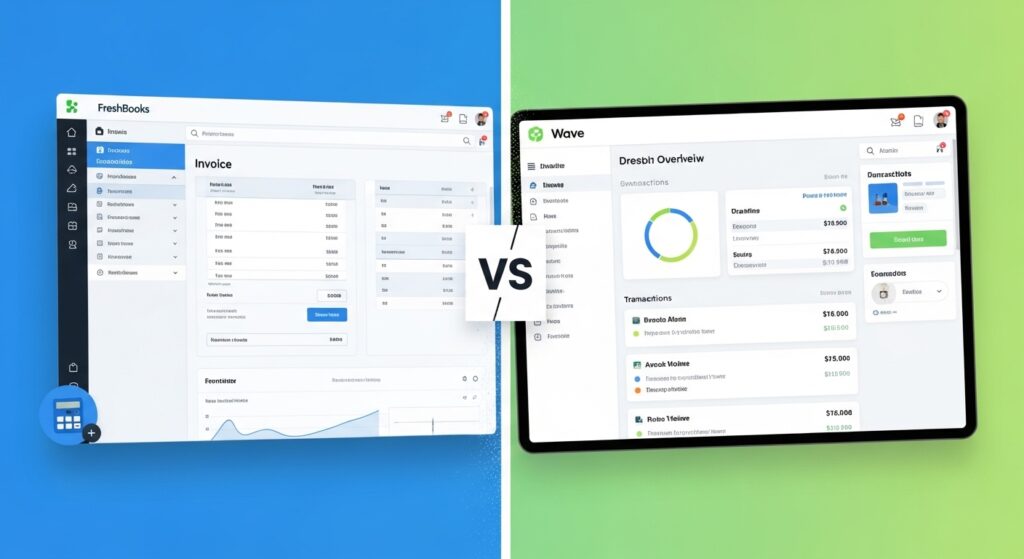
Every freelancer eventually hits the same wall: you’ve got money coming in, invoices going out, and zero idea what your actual profit looks like. You’re copying numbers between spreadsheets, losing track of expenses, and dreading tax season. Picking the right accounting tool early can save you dozens of hours a year — and prevent the kind of financial mess that kills otherwise solid freelance businesses.
FreshBooks vs Wave is the most common comparison freelancers face when setting up their finances. Both tools are purpose-built for non-accountants, both work well for service-based work, and both have loyal user bases. But they’re built on completely different assumptions about what you need and what you’re willing to pay.
This article breaks down both tools honestly — pricing, features, real limitations, and which one fits different types of freelancers in 2026. By the end, you’ll know exactly which one to use and why.
⚡ QUICK ANSWER
FreshBooks is the stronger choice for established freelancers who bill by the hour, need polished invoicing automation, and value time-saving features over cost. Wave wins when you want a free starting point and your needs are straightforward. For most freelancers earning $2,000+/month with regular clients, FreshBooks pays for itself quickly. For brand-new freelancers just getting started, Wave’s free Starter plan is one of the best zero-cost options available in 2026.
Why Freelancers Need Dedicated Accounting Software
Running finances through a mix of PayPal, bank statements, and a spreadsheet works — until it doesn’t. The moment you have three clients, recurring expenses, and a need to prove income (for taxes, a loan, or a lease), improvised financial tracking becomes a liability.
Dedicated accounting software does several things a spreadsheet can’t: it tracks invoices and payments automatically, categorizes expenses against client work, generates profit and loss statements in seconds, and makes tax time something you can handle yourself rather than outsource.
For freelancers specifically, the key requirements are slightly different from traditional small businesses. You need fast, professional invoicing more than you need inventory management. You probably bill by the hour or by project, not by product. And you likely have no interest in learning double-entry bookkeeping — you just want to know who owes you money and how much you made this month.
Both FreshBooks and Wave were designed with this exact user in mind. Where they diverge is in depth, automation, and price.
How We Evaluated These Tools
This comparison focuses on five criteria that matter most to freelancers:
- Pricing — total real-world cost, including payment processing fees and add-ons
- Invoicing — speed, professionalism, automation, and client experience
- Ease of use — how fast you can get set up and send your first invoice
- Time tracking — built-in vs. third-party workarounds
- Integrations and scalability — whether the tool grows with you
Pricing data is accurate as of April 2026 — always verify on each provider’s website, as both tools have adjusted pricing multiple times.
Creator Economy & Online Education Statistics 2026: 63+ Stats for Course Creators and Coaches
FreshBooks — Full Review
FreshBooks launched in 2003 as a simple invoicing tool for freelancers and has since grown into a full accounting platform used by over 30 million users worldwide. It’s still best known for its invoicing experience, but it’s expanded significantly into time tracking, project management, and expense automation.
Key Features
FreshBooks is built around the invoice-first workflow. Every major action — tracking time, logging expenses, managing projects — connects directly to an invoice. This is intentional: FreshBooks assumes that your primary goal is to get paid, and it organizes everything else around that.
Standout features include:
- Built-in time tracking on every plan, including the cheapest Lite tier. You can start a timer from the desktop or mobile app, attach hours to a specific client or project, and generate an invoice from those logged hours in one click. For hourly freelancers, this alone justifies the cost.
- Recurring invoices and automated payment reminders. Set up a retainer client once and FreshBooks handles the billing automatically every month. Late payment reminders go out at intervals you choose, without you lifting a finger.
- Client portal. Clients can log in to view all their invoices, see project status, and make payments in one place. This adds a layer of professionalism that one-off email invoices simply can’t replicate.
- 100+ direct integrations including Stripe, PayPal, Shopify, HubSpot, Calendly, Gusto, and Zoom. Through Zapier, that number extends to 8,000+ apps.
- Double-entry bookkeeping on Plus and above, which satisfies most accountant and CPA requirements at tax time.
The mobile app is fully functional for invoicing, expense capture (photo receipts), and time tracking — and it’s consistently rated among the best accounting apps on both iOS and Android.
Pricing
FreshBooks uses a tiered subscription model with four plans. Prices shown are billed monthly — a 10% discount applies if you pay annually:
| Plan | Monthly Price | Billable Clients |
|---|---|---|
| Lite | $19/month | Up to 5 |
| Plus | $33/month | Up to 50 |
| Premium | $60/month | Unlimited |
| Select | Custom pricing | Unlimited + priority support |
Additional costs to be aware of:
- Extra team members: $11/person/month on all plans
- Advanced Payments add-on: $20/month (adds virtual terminal, lower processing fees)
- Payroll (via Gusto): $40/month base + $6 per employee
- Payment processing: 2.9% + $0.30 per credit card transaction (standard rate)
FreshBooks frequently runs promotional discounts — sometimes up to 60–90% off for the first few months — so it’s worth checking the current offer before you sign up.
For a solo freelancer on the Plus plan at $33/month, that’s about $396/year. If the time tracking and automation save you even 2–3 hours a month, it pays for itself at most hourly rates.
Best For
FreshBooks is the right pick if you:
- Bill clients by the hour and need time tracking built directly into your invoicing flow
- Have more than a handful of clients and want automated reminders and recurring invoices
- Work with clients who expect a professional, branded payment experience
- Plan to grow beyond solo into a small team or agency model
- Want phone and chat support when something goes wrong
Limitations
The 5-client cap on the Lite plan is genuinely restrictive — many freelancers exceed that before they even feel “established.” If you have more than five active clients, you’re pushed to the Plus plan at $33/month almost immediately.
FreshBooks also loses all your data access if you cancel, which has frustrated users who switch tools and then need historical records. Plan your exit before you cancel. Additionally, the Lite plan uses single-entry accounting rather than double-entry, which can cause issues if your accountant or CPA expects standard bookkeeping reports.
Wave — Full Review
Wave launched in Toronto in 2010 with a radical idea: give freelancers and small business owners genuinely useful accounting software for free. That model still holds in 2026. Wave’s core accounting is free, and the company makes money through optional paid services — payment processing fees, payroll, and the Pro plan upgrade.
Key Features
Wave covers the essential financial workflow for most freelancers: send invoices, accept payments, track expenses, and generate reports. It uses double-entry bookkeeping across all plans — including the free one — which is actually better accounting hygiene than FreshBooks’ entry-level Lite plan.
Key features include:
- Unlimited invoices, clients, and expense tracking on both plans. No client caps at all — a meaningful advantage over FreshBooks’ Lite tier.
- Double-entry bookkeeping for free. This means Wave generates proper profit and loss statements, balance sheets, and cash flow reports that hold up under CPA scrutiny.
- Drag-and-drop invoice editor with logo and color branding on both plans.
- Bank connection and auto-import on the Pro plan ($16/month), which automatically merges and categorizes bank transactions. On the free Starter plan, you import transactions manually via CSV.
- Receipt scanning via mobile app using OCR (optical character recognition) — included on Pro, available as an $8/month add-on on Starter.
- Wave Advisors — an optional service that connects you with a bookkeeper or tax pro, starting at $149–199/month. This is useful if you want human support without hiring an accountant directly.
The interface is clean and straightforward. Most freelancers can create an account and send their first invoice in under 15 minutes.
Pricing
Wave’s pricing structure is genuinely simple:
| Plan | Monthly Price | Key Addition |
|---|---|---|
| Starter | Free forever | Unlimited invoices, basic bookkeeping |
| Pro | $16/month (or $170/year) | Auto bank import, multi-user, receipt scanning, discounted payment fees |
Payment processing fees (where Wave actually makes money):
- Credit cards (Visa, Mastercard, Discover): 2.9% + $0.60 per transaction
- American Express: 3.4% + $0.60 per transaction
- ACH bank transfers: 1% per transaction ($1 minimum)
- Pro plan subscribers: First 10 transactions each month drop to 2.9% + $0 (no flat fee)
The flat $0.60 fee matters more than it looks: on a $50 invoice, your effective credit card rate is 4.1%. On a $1,000 invoice, it’s around 2.96%. If you’re invoicing smaller amounts frequently, encourage clients to pay via ACH to keep fees manageable.
Payroll is an optional add-on: $25/month for Pro subscribers or $40/month for Starter users, plus $6 per employee. As of April 2025, this includes automatic tax filing in all 50 US states.
Best For
Wave is the right pick if you:
- Are brand-new to freelancing and want to minimize software costs while you build revenue
- Have straightforward invoicing needs without hourly billing
- Work with unlimited clients (no cap anywhere on Wave’s plans)
- Want proper double-entry bookkeeping without paying a monthly fee
- Are comfortable using a separate time tracking tool (like Toggl or Harvest) alongside your accounting software
Limitations
No built-in time tracking is Wave’s most significant gap for freelancers. Wave’s official workaround is MinuteDock, a third-party integration — but this means logging hours in one tool and manually entering billable amounts into Wave invoices. For freelancers who bill hourly, this friction adds up quickly.
No client portal. Clients receive invoices by email, click a payment link, and that’s the entire client-facing experience. There’s no shared workspace where they can review project status or find past invoices.
Bank auto-import requires the Pro plan. On the free Starter plan, you export a CSV from your bank and import it manually — functional, but tedious once transactions pile up.
Fund-holding complaints have appeared in user reviews, with some Wave Payments users reporting delays in receiving funds. This isn’t universal, but it’s worth being aware of if fast payment settlement is critical to your cash flow.
Side-by-Side Comparison Table
| Feature | FreshBooks Lite | FreshBooks Plus | Wave Starter | Wave Pro |
|---|---|---|---|---|
| Clients | 5 | 50 | Unlimited | Unlimited |
| Invoicing | Unlimited | Unlimited | Unlimited | Unlimited |
| Time Tracking | Yes | Yes | No | No |
| Recurring Invoices | No | Yes | No | Yes |
| Auto Reminders | Yes | Yes | No | Yes |
| Client Portal | Yes | Yes | No | No |
| Bookkeeping | No | Double-entry | Double-entry | Double-entry |
| Bank Import | Yes | Yes | CSV only | Yes |
| Receipts | Yes | Yes | Add-on | Yes |
| Mobile App | Full | Full | Limited | Limited |
| Support | Higher plans | Yes | No | Chat/email |
| Integrations | 100+ | 100+ | Limited | Limited |
| Fees | 2.9% + $0.30 | 2.9% + $0.30 | 2.9% + $0.60 | 2.9% + $0 (promo) |
FreshBooks Lite
FreshBooks Plus
Wave Starter
Wave Pro
Pricing verified April 2026 — confirm current rates on each provider’s website.
Which Should You Choose?
The honest answer depends on where you are in your freelance journey and how you bill.
Choose FreshBooks if: You bill by the hour, have more than five regular clients, or want automation that reduces the admin overhead of running your business. The built-in time tracker alone eliminates a separate subscription (Toggl, Harvest, or similar tools run $8–20/month), and automated payment reminders genuinely get invoices paid faster. If you’re earning $3,000+/month and treat freelancing as your primary income, the $33/month Plus plan is a business investment that pays for itself. [AFFILIATE LINK: FreshBooks]
Choose Wave if: You’re just starting out, your billing is project-based (not hourly), or keeping software costs at zero is a genuine priority right now. Wave’s Starter plan is not a compromised free tier — it has proper double-entry bookkeeping, unlimited clients and invoices, and a clean invoicing experience. Many freelancers run their entire operation on Wave indefinitely. If you later need time tracking, you can pair Wave with a free tier of Toggl.
A practical breakdown by freelancer type:
- New writer, designer, or coach getting their first 2–3 clients: Wave Starter (free)
- Established developer billing hourly with 10+ active clients: FreshBooks Plus ($33/mo)
- Consultant with retainer clients who needs recurring invoices and automation: FreshBooks Plus
- Side hustler testing the waters with occasional project work: Wave Starter (free)
- Creative with $5K+/month revenue who wants everything in one place: FreshBooks Plus or Premium
Best Invoicing Software for Freelance Photographers in 2026 (Deposits, Contracts & Faster Payments)
A Note on Software as a Business Expense
Both FreshBooks and Wave Pro subscriptions are fully deductible as ordinary business expenses for US-based freelancers under Schedule C. This means your real cost is reduced by your tax rate. If you’re in the 22% bracket, the $33/month FreshBooks Plus plan effectively costs about $25.74/month after deductions. Keep your receipts (Wave and FreshBooks will both help you with that), and check with your tax professional to confirm deductibility in your specific situation.
[read: IRS guidance on business deductions → IRS.gov Publication 535]
Frequently Asked Questions
Is FreshBooks or Wave better for freelancers?
FreshBooks is better for freelancers who bill hourly, need automation, or work with multiple regular clients. Its built-in time tracking and automated payment reminders save significant time compared to manual methods. Wave is better for freelancers who want a free, solid starting point and have simple billing needs. Both tools handle invoicing well — the decision comes down to whether the workflow features justify FreshBooks’ monthly fee for your specific situation.
Is Wave really free for freelancers?
Wave’s Starter plan is genuinely free with no time limit or credit card required. It includes unlimited invoicing, unlimited clients, expense tracking, and double-entry accounting reports. The costs appear when you accept online payments (2.9% + $0.60 per credit card transaction), add payroll ($40/month + $6 per employee on Starter), or upgrade to Wave Pro ($16/month) for bank auto-import and automation features. Many freelancers use Wave indefinitely on the free plan by accepting payments via check or ACH transfer.
Does FreshBooks have a free plan?
FreshBooks does not offer a permanent free plan. It provides a 30-day free trial on all plans without requiring a credit card. After the trial, pricing starts at $19/month for the Lite plan, which supports up to 5 billable clients. FreshBooks frequently runs promotional discounts — sometimes 60–90% off for the first several months — so the effective entry cost is often lower than the listed price. Check the current offer before signing up for the best accounting software for freelancers pricing available.
Can Wave handle time tracking for freelancers who bill hourly?
Wave has no built-in time tracking. There is no timer, hour log, or native way to attach hours to an invoice. Wave’s recommended solution is to use a third-party time tracker like Toggl (free up to 5 users), Harvest, or MinuteDock, then manually enter the billable hours into Wave invoices. For freelancers who bill by the hour, this workflow adds friction. FreshBooks, by contrast, includes time tracking on every plan and converts logged hours into invoices with a single click.
What are the payment processing fees for FreshBooks vs Wave?
FreshBooks charges 2.9% + $0.30 per credit card transaction on standard plans, with lower rates available on the Select plan or with the Advanced Payments add-on ($20/month). Wave charges 2.9% + $0.60 per transaction for credit cards (Visa, Mastercard, Discover) and 3.4% + $0.60 for American Express. Wave Pro subscribers get their first 10 transactions per month at 2.9% + $0 (no flat fee). ACH bank transfers are 1% with a $1 minimum on Wave. Both platforms use industry-standard processing rates comparable to Stripe and PayPal.
Which accounting software is better for freelancers just starting out?
For brand-new freelancers, Wave’s Starter plan is the stronger recommendation. Starting with zero software costs lets you build revenue before adding overhead. Wave includes everything you need to look professional — branded invoices, expense tracking, financial reports, and payment acceptance. Once you’re earning consistently (typically $2,000–3,000/month or more), you can evaluate whether FreshBooks’ automation and time tracking features justify the upgrade. Many freelancers use Wave for their first 1–2 years and switch to FreshBooks as their client base grows.
The Bottom Line
FreshBooks vs Wave isn’t really a contest — it’s a match. Each tool is right for a different stage and type of freelance business.
Wave is one of the best free accounting software options for freelancers in 2026, and it genuinely holds up for years of professional use. FreshBooks is the cleaner, more automated paid option that earns its fee through time savings, especially for hourly billing and recurring client relationships.
If you’re just starting out, launch with Wave and don’t look back until your needs outgrow it. If you’re already established and spending real time on invoicing admin, FreshBooks will likely pay for itself within the first month.
You can start a free 30-day trial of FreshBooks here— no credit card required. Or sign up for Wave’s free Starter plan here and be invoicing in under 15 minutes.
Xero vs FreshBooks for Consulting Firms (2026: Billing, Time Tracking & Profitability Compared)