
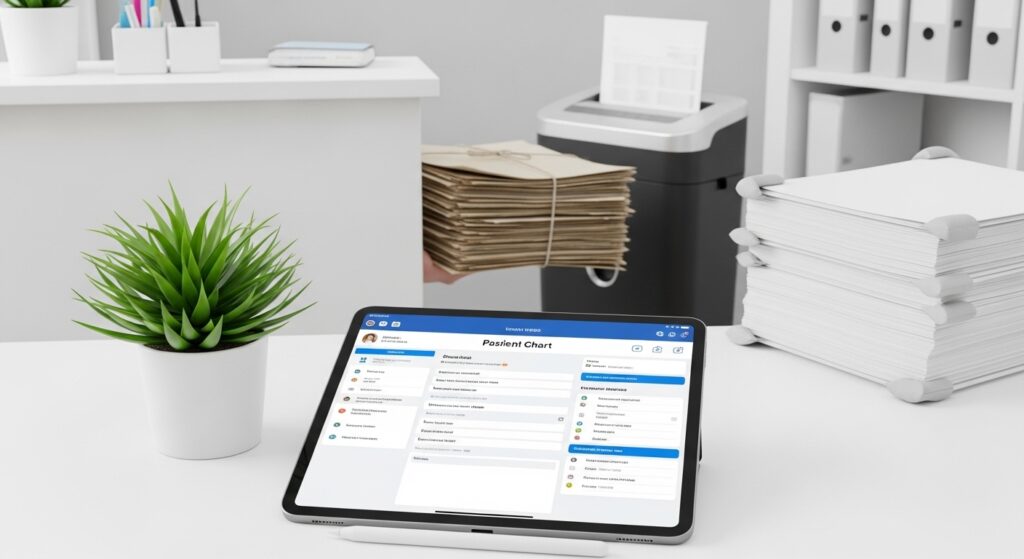
Paper is costing your practice more than you think. The average physician spends nearly 17% of their time on non-clinical paperwork — close to nine hours every week that could be spent with patients. Multiply that across a practice of three providers and you’re looking at a full-time administrative burden that produces filing cabinets, misplaced documents, HIPAA exposure, and patient frustration at the front desk.
The good news is that going paperless in a small medical practice is genuinely achievable in 2026, and it doesn’t require a massive budget or a dedicated IT team. The tools are mature, affordable, and specifically built for small clinics, solo practitioners, and independent specialty practices. What it does require is a clear, phased plan — because practices that try to eliminate paper overnight typically create more chaos than they solve.
This guide walks you through exactly how to go paperless in a small medical practice — step by step, from auditing your current paper use to training staff and choosing the right software. You’ll also find tool recommendations for digital intake, e-signatures, electronic health records (EHR), and workflow automation, along with honest notes on HIPAA compliance at every stage.
⚡ QUICK ANSWER
To go paperless in a small medical practice, complete these steps in order: audit where paper enters your workflow, implement a cloud-based EHR with digital charting, replace paper intake forms with HIPAA-compliant digital forms, add e-signature software for consents and treatment plans, digitize your fax and billing processes, and train staff before going fully live. Most small practices complete the transition in 3–6 months. Tools like SimplePractice, Kareo (Tebra), DrChrono, Jotform (HIPAA tier), and DocuSign (Business Pro) cover most of the core paperless workflow for under $300/month.
What You’ll Need Before You Start
Before touching a single form or signing up for software, get clear on your current state. Practices that skip this step end up buying tools that duplicate each other or don’t address the actual bottlenecks.
A paper audit. Walk through one complete patient visit — from scheduling through checkout — and document every piece of paper that touches your practice. For most small clinics, this includes: new patient intake forms, insurance cards and ID copies, HIPAA acknowledgments, medical history questionnaires, consent forms, SOAP notes, prescriptions (paper Rx pads), superbills or encounter forms, lab or imaging referrals, fax transmissions, and paper explanation of benefits (EOB) documents. That list is longer than most practice owners realize until they write it down.
HIPAA awareness. Everything you digitize must comply with the Health Insurance Portability and Accountability Act (HIPAA) — the US law that governs how patient health information (PHI) is stored, transmitted, and accessed. Before selecting any software, confirm that the vendor offers a signed Business Associate Agreement (BAA), which is the legal contract establishing that the software company will handle your patients’ data appropriately. No BAA means no HIPAA compliance, regardless of what their marketing says.
Hardware basics. You’ll need a high-speed duplex document scanner (30–60 pages per minute, minimum 50-page auto-feed) for digitizing existing paper charts. Budget $400–$700 for a quality unit. Tablets or iPads at the front desk are useful for patient self-check-in and form completion. Reliable internet is non-negotiable — cloud-based systems are only as good as your connection.
Staff buy-in. The technology is the easy part. Resistance from front desk staff or clinicians who are comfortable with the old system is where transitions actually stall. Involve your team early in tool selection, explain the “why” behind the change, and plan for a training period of two to four weeks before full cutover.
HHS Guidance on HIPAA and Telehealth: The Complete 2026 Compliance Guide
Step-by-Step: How to Go Paperless in a Small Medical Practice
Step 1: Implement a Cloud-Based EHR as Your Foundation
The EHR (electronic health record) system is the core of a paperless practice. Everything else — digital intake, e-prescribing, billing — connects to it. If you don’t have an EHR yet, or if your current one lacks cloud access and patient portal features, this is where to start.
For small practices, the most important EHR criteria are: cloud-based access from any device (no local server), built-in SOAP note templates or charting tools, a patient portal for secure messaging and record access, and direct integration with billing and scheduling.
SimplePractice is the most popular choice for mental health, therapy, counseling, and behavioral health practices. It’s trusted by over 250,000 practitioners, starts at $29/month for the Starter plan (though most practitioners need the Essential plan at $59/month for telehealth and insurance billing), and includes a clean client portal, automated appointment reminders, and built-in paperless intake forms. A 30-day free trial is available with no credit card required. [AFFILIATE LINK: SimplePractice]
Kareo (now part of Tebra after its 2021 merger with PatientPop) serves primary care, multi-specialty, and independent practices that need stronger billing and medical-grade documentation tools. It connects with over 40 labs for electronic results, supports e-prescribing, includes telehealth, and offers AI-powered transcription (Tebra AI) that converts patient conversations into structured EHR notes in real time. Pricing starts at approximately $349/provider/month for Clinical Essentials — confirm current rates with the sales team, as Kareo uses custom quotes.
DrChrono is the strongest mobile-first EHR, built natively for iPad and iPhone — ideal for practices that chart at bedside or in multiple exam rooms. It was the first EHR to offer a full-capacity iOS app, and the drag-and-drop form builder allows deep customization for almost any specialty. DrChrono is ONC certified, HIPAA compliant, and rated 4.4/5 on the Apple App Store. Pricing is tiered; request a demo for current rates.
Once your EHR is live and your team has completed basic training, do not try to migrate all your paper charts at once. A practical approach: keep paper charts for existing patients accessible until their next visit, then have your front desk or medical assistant scan and upload relevant history at check-in. New patients go entirely digital from day one.
Step 2: Replace Paper Intake Forms with Digital Forms
This is the single highest-impact change most practices can make. Patients filling out paper forms at the front desk creates a predictable bottleneck: they arrive at the last minute, forms take longer than expected, front desk staff has to manually re-enter data into the EHR, and illegible handwriting causes errors downstream.
Digital intake forms sent ahead of the appointment eliminate all of that. Patients complete their medical history, insurance information, consent forms, and HIPAA acknowledgment from their phone at home — before they ever walk through your door.
Most full EHR platforms (SimplePractice, Kareo, DrChrono) include digital intake forms as part of their package. If you need a standalone form builder — or want more flexibility than your EHR’s native forms offer — Jotform is the most widely used option in healthcare. Its HIPAA-compliant features (including a signed BAA, encrypted form data, and PHI segmentation) are available on the Gold plan at $129/month. The free Starter plan is not HIPAA compliant, so do not use it for patient data.
Jotform offers hundreds of pre-built medical form templates: new patient registration, medical history questionnaires, consent forms, HIPAA acknowledgments, patient satisfaction surveys, and more. All can be customized with your branding and embedded directly into your website or sent as a link via text or email before the appointment.
When setting up digital intake, configure a workflow where:
- New patients receive a form link 48–72 hours before their first appointment
- Form completions are automatically stored in your EHR or document management system
- Front desk staff gets a notification when a form is submitted
- Patients who haven’t completed forms receive an automated reminder 24 hours before their visit
This workflow alone typically saves a small practice 45–90 minutes of front desk time per day.
Step 3: Add E-Signature Capabilities for Consents and Treatment Plans
Paper consent forms, treatment agreements, financial responsibility forms, and HIPAA acknowledgments are some of the most frequently lost documents in small practices. They’re also the documents you most need when a billing dispute or compliance audit arises.
Replacing paper signatures with legally binding electronic signatures solves the problem permanently. E-signatures are enforceable in the US under the ESIGN Act (2000) and UETA, which most states have adopted. For healthcare use, the platform you choose must offer a signed BAA and AES-256 encryption.
DocuSign is the most widely recognized e-signature platform in healthcare. When configured at the Business Pro plan level ($40/month per user), it supports HIPAA compliance with full audit trails, conditional logic, bulk send, and signer attachments. Each e-signature captures timestamps, IP addresses, signing location, and document completion status — a complete audit trail that protects you in compliance reviews. DocuSign’s data centers are SOC 2 audited and ISO 27001 certified.
If your patients already complete intake forms through Jotform, you can use Jotform Sign for e-signatures within the same platform — eliminating the need for a separate tool. Jotform Sign is HIPAA compliant at the Gold plan tier and supports legally binding electronic signatures with BAA available on request.
For practices that want e-signatures built directly into their EHR workflow, SimplePractice and DrChrono both include the ability to collect electronic signatures on consent documents directly through their patient portals — reducing the need for a third-party tool.
Whichever platform you use, establish these document categories for e-signature workflows:
- HIPAA Notice of Privacy Practices acknowledgment
- Financial responsibility and payment authorization
- Informed consent for treatment
- Telehealth consent (if applicable)
- Release of information authorization
- Treatment plan agreement
Step 4: Digitize Your Fax and Billing Processes
Fax is one of the last remaining paper bottlenecks in most small practices, and it persists for a legitimate reason: it’s one of the most widely accepted methods for sharing patient records with specialists, labs, pharmacies, and payers. But traditional fax machines require physical paper — which defeats your paperless goals.
Electronic fax (eFax) solutions replace your physical fax machine with a cloud-based service that sends and receives faxes as digital documents. These appear directly in your EHR or inbox as PDFs, can be filed into patient charts without printing, and support HIPAA-compliant transmission. Most EHR platforms have eFax integrations built in or available as add-ons. Standalone HIPAA-compliant eFax services typically run $10–$30/month.
On the billing side, the shift from paper superbills and manual claim entry to electronic billing and claims submission is one of the most impactful operational changes you can make. Electronic claims process faster, reduce denial rates, and eliminate the paper trail associated with manual billing.
If your EHR includes billing (Kareo and DrChrono both do), configure claim submission through its integrated clearinghouse. For practices using SimplePractice, insurance claims are filed electronically through the platform at $0.25 per claim. E-prescribing (sending prescriptions directly to pharmacies electronically rather than handing patients a paper Rx) is available in most EHRs and eliminates one of the most persistent sources of clinical paper.
Also tackle: electronic payment collection (replacing paper statements with emailed invoices and online payment links), electronic lab results (set up direct lab integrations through your EHR rather than receiving paper printouts), and digital employee and HR records (HR platforms like Gusto or Rippling let you manage offer letters, onboarding documents, and payroll electronically).
Step 5: Scan and Digitize Your Existing Paper Charts
This step is the most labor-intensive part of the transition, and it’s also the one most practices want to rush. Don’t. A poor scanning process creates disorganized, unsearchable digital files that are worse than the paper originals.
Set up a systematic scanning workflow with these standards:
- Use a high-speed duplex scanner with an automatic document feeder (ADF)
- Scan all documents at 300 DPI in black-and-white (600 DPI for anything with color charts or images)
- Save files as searchable PDFs (your scanner software should support OCR — optical character recognition — which makes scanned text searchable)
- Name files with a consistent convention: [LastName_FirstName_DOB_DocumentType_Date]
- Upload directly to the patient’s chart in your EHR, organized by document category
You don’t have to scan everything at once. A pragmatic approach that many practices use: scan the most recent 2–3 years of active patient charts (the records most likely to be needed), keep older inactive records in secure physical storage for the duration of your state’s medical record retention requirements, and set a policy that all new documents are digital from your go-live date forward.
If you have significant chart volume, consider hiring a temporary scanning assistant or a professional medical record digitization service for the initial conversion. The cost (typically $0.07–$0.12 per page for outsourced scanning) is usually worth the time savings.
Best EMR for Cash-Pay Chiropractic Practices (Simple & Affordable Options for 2026)
Step 6: Train Your Staff and Set a Go-Live Date
The most elegantly configured paperless system fails if your staff doesn’t know how to use it — or actively avoids it. Training is not a one-time event; it’s an ongoing investment, especially in the first 90 days.
Structure your training in three phases:
Phase 1 — Pre-launch (2–4 weeks before go-live): Train each staff member individually on the tools they’ll use daily. Front desk staff needs to know the EHR scheduling and intake workflow. Clinical staff needs to know charting, SOAP note documentation, e-prescribing, and lab ordering. Billing staff needs to know electronic claim submission and payment posting. Create short screen-recording videos of each key workflow that staff can refer back to without needing to call you.
Phase 2 — Go-live (week 1): Set your cutover date. From this date forward, all new patient interactions are fully digital. Keep one experienced team member designated as the “go-to” resource for troubleshooting during the first week. Expect things to be slower than usual — build extra buffer time into your schedule for the first two weeks.
Phase 3 — Reinforcement (months 2–3): Schedule brief weekly check-ins to identify persistent friction points. Which steps are staff working around? Where are paper forms creeping back in? Address issues at the process level, not just the individual level.
Make paper physically less convenient for staff. Remove excess printers and fax machines from exam rooms. Eliminate paper form supplies from the front desk. If there’s no paper available, digital becomes the default.
Common Mistakes to Avoid
Trying to go fully paperless in a single weekend. The practices that succeed treat this as a 3–6 month phased transition. The practices that burn out try to flip a switch on a Monday and spend the next two weeks in chaos. Pick one category of paper to eliminate first — digital intake is usually the best starting point — and get that working smoothly before moving on.
Choosing tools that aren’t actually HIPAA compliant. “HIPAA compliant” is one of the most abused phrases in health tech marketing. The actual test is simple: does the vendor provide a signed Business Associate Agreement (BAA)? If not, or if it’s only available on a high-tier plan you’re not subscribing to, your use of that tool for patient data is non-compliant. Jotform’s HIPAA features, for example, are only available on the Gold plan ($129/month) — using a lower tier for patient forms creates real compliance exposure.
Neglecting to train patients. Your transition affects patients too. Many will be unfamiliar with digital intake forms or patient portals, especially older patients. Create a brief guide explaining how to complete forms online before their appointment. Have a tablet available at the front desk for patients who prefer or need to complete forms on-site. Never make patients feel penalized for not completing digital forms in advance.
Forgetting e-prescribing. Many practices complete 80% of their paperless transition but leave paper prescription pads in every exam room. E-prescribing eliminates dosage errors, reduces pharmacy phone calls, automates the refill process, and is now a standard feature in most EHR platforms. If your EHR supports it, activate it.
Not establishing a document disposal plan. Once paper charts are scanned and verified, they need to be properly destroyed. HIPAA requires PHI-containing documents to be disposed of in a way that makes the information unreadable and unrecoverable. This means HIPAA-compliant shredding (cross-cut or micro-cut shredders) or contracting with a professional shredding service that provides a certificate of destruction.
Tools That Make Going Paperless Easier
Now that you understand the step-by-step process, let’s look at how the recommended tools fit into each stage of your paperless workflow.
SimplePractice handles scheduling, digital intake, charting, telehealth, and billing in one HIPAA-compliant platform built for mental health and wellness practices. The Essential plan at $59/month is where most solo practitioners land — it includes telehealth, insurance billing, customizable note templates, and a client portal with digital intake forms. The 30-day free trial is genuinely useful for testing the workflow before committing. See SimplePractice’s current pricing and plans here [AFFILIATE LINK: SimplePractice].
Kareo (Tebra) is the strongest all-in-one option for primary care and multi-specialty practices that need robust medical-grade EHR combined with billing automation, lab integrations (over 40 labs), and AI transcription. It’s more expensive and more powerful than SimplePractice — best suited for practices seeing 15+ patients per day or managing complex billing workflows.
DrChrono is the best pick if your practice is iPad-based or highly mobile. Its native iOS design, drag-and-drop form customization, and integrated billing make it a strong choice for concierge medicine, urgent care, direct primary care, and practices with multiple exam rooms where charting at the point of care matters.
Jotform (Gold plan, $129/month) fills the gap for practices that need more flexible, brandable digital forms than their EHR provides. Its hundreds of healthcare form templates and HIPAA-compliant e-signature capabilities (via Jotform Sign) make it a powerful supplement to any EHR platform.
DocuSign (Business Pro, $40/user/month) is the gold standard for legally binding e-signatures on consent forms, treatment plans, and financial agreements. Its AES-256 encryption, full audit trails, and signed BAA make it the most defensible option in a compliance audit.
Best Telehealth Platforms for Licensed Counselors (HIPAA-Compliant Tools for 2026)
Is Going Paperless Worth the Cost?
Running a paperless medical office is deductible as a legitimate business expense under IRS guidelines — your EHR subscription, digital form software, e-signature platform, and cloud storage all qualify as ordinary and necessary business expenses. For equipment purchases like scanners or tablets, Section 179 of the IRS tax code may allow you to deduct the full purchase price in the year of acquisition rather than depreciating it over time. At typical software costs of $150–$350/month, that’s $1,800–$4,200 per year in deductible software expenses. Talk to your accountant about how to capture these deductions optimally.
[read: Section 179 deduction for business equipment → IRS Publication 946]
Frequently Asked Questions
How long does it take to go paperless in a small medical practice?
Most small practices complete a full paperless transition in 3–6 months when following a phased approach. The first month typically covers EHR setup and digital intake. Month two adds e-signatures and electronic billing. Months three through six cover chart scanning, staff training refinements, and elimination of remaining paper touchpoints. Practices that try to do everything in two weeks often struggle with staff adoption and end up reverting to paper in high-stress moments.
Does going paperless in a medical practice require HIPAA compliance?
Yes, absolutely. Any digital tool that stores, transmits, or processes patient health information (PHI) must be HIPAA compliant. This means the vendor must sign a Business Associate Agreement (BAA) with your practice, use AES-256 encryption for data at rest and in transit, maintain audit logs, and offer access controls. Common tools like Google Drive, standard Gmail, and basic versions of many form builders are not HIPAA compliant and cannot be used for patient data — even if they’re convenient.
What is the best EHR for a small paperless medical practice?
The best EHR depends on your specialty. For mental health, therapy, and behavioral health practices, SimplePractice is the most widely recommended option in 2026, trusted by over 250,000 practitioners with plans starting at $29–$59/month. For primary care, multi-specialty, and practices with complex billing needs, Kareo (Tebra) is a strong fit. For mobile-first or iPad-based practices, DrChrono is the top pick. All three are cloud-based, HIPAA compliant, and include patient portal and digital intake capabilities.
How much does it cost to go paperless in a medical practice?
For a solo practitioner in 2026, a complete paperless toolkit typically costs $150–$400/month. This covers: an EHR platform ($29–$349/month depending on features), digital intake forms if not included in your EHR ($0–$129/month for Jotform Gold), and e-signature software ($40/month for DocuSign Business Pro). One-time costs include a quality document scanner ($400–$700) and potential data migration or setup support. Many practices find that savings in staff time, reduced paper supply costs, and faster billing collections offset the software cost within the first six months.
Can patients who aren’t tech-savvy use a paperless intake system?
Yes, with the right setup. The best digital intake platforms send patients a simple text or email link that opens on any smartphone, tablet, or computer — no app download or account creation required. For patients who prefer or need in-office assistance, a front desk tablet with a staff member available to help covers most situations. Practices that have made this work well report that even elderly patients adapt quickly once they’ve completed forms digitally once or twice. The key is offering the option of in-office digital completion, not requiring everyone to complete forms at home.
What happens to my existing paper charts when I go paperless?
You have three options for existing paper charts. The most thorough approach is to scan and digitize all active patient records before go-live, which requires significant time and labor. A practical middle-ground approach is to scan charts for established patients at their next scheduled visit — a process that can be completed in the first 6–12 months without disrupting daily operations. A third option is to maintain physical storage for existing records through the end of your state’s medical record retention period (typically 7–10 years for adult patients, or until the patient’s 21st birthday for minors) while operating entirely digitally for all new patient encounters.
[read: medical record retention requirements by state → AHIMA medical records retention guidelines]
The Bottom Line
Going paperless in a small medical practice isn’t about eliminating a preference for paper — it’s about building a system that’s faster, safer, and more reliable than the one paper creates. Every form that has to be re-entered, every chart that gets misfiled, every fax that doesn’t arrive is a cost that compounds silently.
The phased approach in this guide works because it doesn’t ask you to transform everything at once. Start with digital intake — it’s the highest-leverage first step, and patients notice the improvement immediately. Add e-signatures, digital billing, and chart scanning in sequence, with staff training built in at each stage.
If you’re ready to take the first step, start a 30-day free trial of SimplePractice here — it’s one of the fastest EHRs to get up and running for small and solo practices, with no credit card required and setup that most practitioners complete in a single afternoon.