
Table of Contents
- Introduction: What Is Google Workspace SaaS?
- A Brief History: From Google Apps to Google Workspace
- Why Google Workspace Is a SaaS Platform
- Core Applications and Features of Google Workspace
- Google Workspace SaaS Plans and Pricing in 2025–2026
- Gemini AI: The Game-Changer Inside Google Workspace SaaS
- Google Workspace SaaS Security and Compliance
- Benefits of Google Workspace as a SaaS Solution
- Google Workspace SaaS vs. Microsoft 365: Head-to-Head Comparison
- Who Should Use Google Workspace SaaS?
- How to Get Started with Google Workspace SaaS
- Frequently Asked Questions (FAQ)
- Final Verdict
- References and Sources
1. Introduction: What Is Google Workspace SaaS?
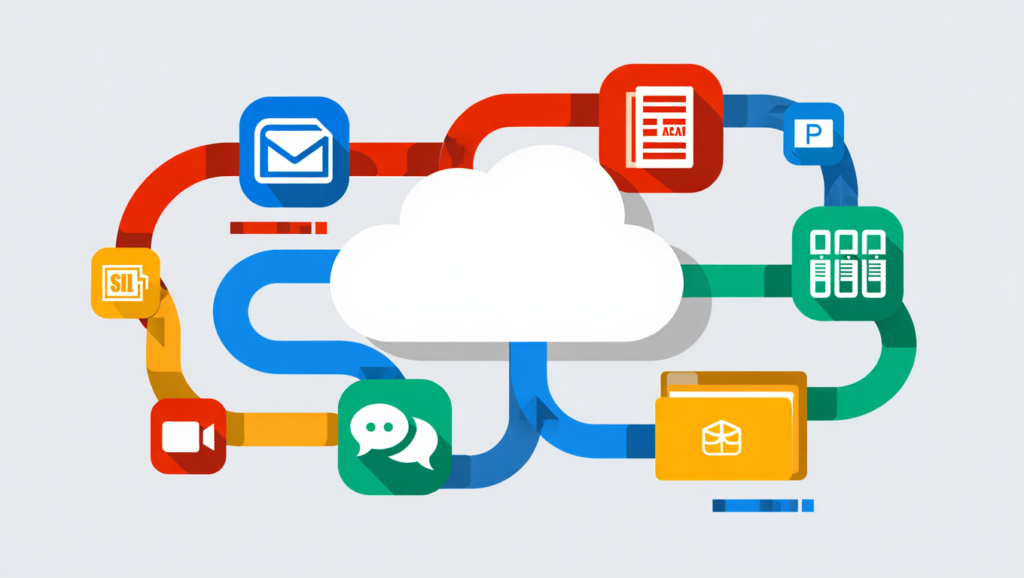
Google Workspace SaaS is a cloud-based Software-as-a-Service (SaaS) productivity and collaboration platform developed by Google. It bundles some of the world’s most widely used business applications — Gmail, Google Drive, Google Docs, Sheets, Slides, Google Meet, Google Calendar, Google Chat, and more — into a single subscription-based offering hosted entirely in the cloud.
Unlike traditional software that requires local installation, purchasing one-time licenses, or managing on-premise servers, Google Workspace SaaS delivers all its tools through a web browser or mobile app. Businesses simply subscribe to a plan, and their team gets immediate, device-agnostic access to a fully maintained, always-updated suite of tools.
As of 2025–2026, Google Workspace is used by over 10 million businesses worldwide — from solo entrepreneurs and startups to Fortune 500 enterprises and government institutions. Its evolution into a deeply AI-powered platform through Gemini AI integration has firmly cemented its position as one of the most important SaaS productivity platforms in the world.
This guide covers everything you need to know: what Google Workspace SaaS is, why it’s classified as SaaS, its key features, pricing, AI capabilities, security posture, how it compares to Microsoft 365, and who it’s best suited for.
What Is SaaS Application Development Services? The Ultimate 2025 Guide
2. A Brief History: From Google Apps to Google Workspace
Understanding what Google Workspace SaaS is today requires a look at its evolution:
- 2006: Google launched Google Apps for Your Domain, a pioneering bundle of web-based tools like Gmail and Google Docs for businesses. At a time when desktop-installed software like Microsoft Office dominated, this was a radical shift.
- 2010: Google rebranded this offering as Google Apps for Business, adding more services and a clearer commercial model.
- 2012: The suite became G Suite, broadening its enterprise appeal with enhanced admin controls, compliance features, and deeper integrations.
- 2020: Google rebranded G Suite as Google Workspace, reflecting a more holistic, integrated vision where all tools work seamlessly together rather than as standalone apps.
- 2025: Google made a landmark move by bundling its Gemini AI capabilities directly into all Business and Enterprise Workspace plans, representing one of the most significant updates in the platform’s history — and triggering a 17–22% price increase to reflect the added value.
As Computerworld notes, Google was “very much ahead of the game” in building SaaS-based enterprise services — even before Microsoft pivoted Office to a subscription cloud model. That early cloud-native DNA is what makes Google Workspace SaaS uniquely positioned today.
3. Why Google Workspace Is a SaaS Platform
Before diving deeper into features, it’s worth clearly answering the question: is Google Workspace a SaaS platform?
Yes — definitively and by design. Here’s why:
What Is SaaS?
According to Google Cloud’s own definition, Software as a Service (SaaS) is the cloud computing model in which software is centrally hosted by the provider and accessed by users via the internet through a web browser. The SaaS provider — in this case, Google — owns and maintains the infrastructure, updates the software, ensures uptime, and handles security. Users simply subscribe and use it.
How Google Workspace Fits the SaaS Model
Google Workspace meets every criterion of a SaaS platform:
| SaaS Characteristic | Google Workspace Implementation |
|---|---|
| Cloud-hosted | All apps run on Google’s global infrastructure |
| Subscription-based | Monthly or annual per-user pricing |
| No local installation required | Accessed via browser or lightweight app |
| Automatic updates | Google pushes updates with zero user action |
| Scalable | Add or remove users anytime |
| Multi-tenant architecture | Shared infrastructure, isolated data per org |
| Accessible from any device | Works on Windows, Mac, iOS, Android, Chromebook |
As Gartner analyst Joe Mariano explained via Computerworld, “The proposition is going to a completely SaaS-based set of services,” which allows for “deep interconnectivity” between the various components of the Workspace suite.
Google Workspace is also formally listed as a canonical SaaS example by cloud computing educators globally, alongside Salesforce and Slack. Cloud computing model explainers consistently identify Google Workspace (Gmail, Docs, Drive) as the prototypical SaaS application for productivity.
4. Core Applications and Features of Google Workspace SaaS
Google Workspace SaaS is not a single tool — it’s an integrated ecosystem of applications designed to cover every major business workflow. Here’s a breakdown of what’s included:
📧 Gmail (Business Email)
Gmail in Google Workspace comes with your custom domain (e.g., you@yourcompany.com), giving your organization a professional brand identity. It includes AI-powered spam filtering, phishing detection, end-to-end encryption in transit, and smart features like “Help me write” powered by Gemini AI. Gmail integrates directly with Calendar, Meet, Chat, and Drive.
📁 Google Drive (Cloud Storage)
Google Drive serves as the central file storage hub for your organization. Storage allocations range from 30 GB per user (Business Starter) up to 5 TB pooled per user (Business Plus), with unlimited storage at the Enterprise level. Drive supports Shared Drives for team-wide collaboration and enforces admin-defined access controls.
📝 Google Docs, Sheets, and Slides (Productivity Suite)
These are Google’s cloud-native counterparts to Microsoft Word, Excel, and PowerPoint. They support real-time simultaneous editing, meaning multiple team members can work in the same document at the same time with changes visible instantly. Auto-save is continuous. Version history is complete. Collaboration via comments, suggestions, and @-mentions is built in.
📹 Google Meet (Video Conferencing)
Google Meet is a browser-based video conferencing tool capable of hosting meetings with up to 1,000 participants (Enterprise tier). Key features include AI-powered noise cancellation, live captions, automatic meeting summaries (via Gemini), recording and transcript storage to Drive, and breakout rooms.
💬 Google Chat (Team Messaging)
Google Chat provides Slack-like persistent team messaging with Spaces (channels), direct messaging, file sharing, and bot integrations. It’s embedded directly in Gmail and integrates with Drive, Docs, and Meet for frictionless collaboration.
📅 Google Calendar (Scheduling)
Google Calendar enables smart scheduling across organizations, with shared calendars, room booking, appointment scheduling, and deep integration with Gmail and Meet. Admins can view and manage team calendars from the Admin Console.
🔒 Google Vault (Archiving & eDiscovery)
Available on higher-tier plans, Google Vault enables legal holds, email archiving, audit reports, and eDiscovery across Gmail, Drive, Chat, and Meet data. This is critical for legal, compliance, and regulated industries.
📊 Google Forms, Sites, and AppSheet
These tools extend the Workspace ecosystem into surveys and data collection (Forms), internal websites and intranets (Sites), and no-code app development (AppSheet) — allowing businesses to build custom business tools without writing code.
🧠 Gemini AI (Across All Apps)
As of January 2025, Gemini AI is now bundled into all Business and Enterprise plans, providing an AI assistant across Gmail, Docs, Sheets, Slides, Meet, Chat, and Drive. More on this in the dedicated section below.
How to Migrate Your EHR Data Safely: The Complete 2026 Guide
5. Google Workspace SaaS Plans and Pricing in 2025–2026
Google Workspace SaaS offers a tiered pricing model designed to serve every business from solo entrepreneurs to global enterprises. In March 2025, Google rolled out a significant pricing update tied to the mandatory inclusion of Gemini AI features across all plans.
Current Google Workspace Pricing (Annual Billing)
| Plan | Annual Price | Monthly Price | Storage | Best For |
|---|---|---|---|---|
| Business Starter | $7/user/mo | $8.40/user/mo | 30 GB/user | Small teams & startups |
| Business Standard | $14/user/mo | $16.80/user/mo | 2 TB/user | Growing teams (AI) |
| Business Plus | $22/user/mo | $26.40/user/mo | 5 TB/user | Larger teams |
| Enterprise | Custom | Custom | Unlimited | Large enterprises |
| Individual | $9.99/mo | $9.99/mo | 1 TB | Freelancers |
Business Starter
Business Standard
Business Plus
Enterprise
Individual
Conversion Positioning
- Best Overall: Business Standard – balanced pricing, storage, and scalability
- Best Budget: Business Starter – lowest entry price for teams
- Best for Growth: Business Plus – higher storage and advanced features
- Best for Individuals: Individual Plan – affordable and simple for solo users
Source: Tekpon Google Workspace Pricing Review 2025
Key Notes on Pricing:
- All plans include a 14-day free trial with no credit card required, per Google’s official website.
- Plans for nonprofits, educational institutions, and startups are available at deeply discounted rates or free.
- The 2025 price increase of approximately 17–22% was driven primarily by the bundling of Gemini AI into Business and Enterprise tiers — meaning every subscriber now gets AI capabilities baked in, not as an add-on.
- For businesses with fewer than 300 employees, signup and management can be handled entirely online without a sales call.
What’s Included in Every Plan:
Every Google Workspace SaaS plan, regardless of tier, includes:
- Custom business email with your domain
- Gmail, Calendar, Meet, Chat, Drive, Docs, Sheets, Slides, Forms, Sites
- 24/7 Google customer support
- Security and admin controls via the Admin Console
- Access to Gemini AI features (varies by tier)
6. Gemini AI: The Game-Changer Inside Google Workspace SaaS
One of the most significant developments in Google Workspace SaaS in recent years is the deep integration of Gemini, Google’s flagship AI model, across the entire suite.
Starting January 16, 2025, Google Workspace Business and Enterprise users gained access to a comprehensive suite of Gemini AI capabilities, including:
What Gemini Does in Google Workspace
In Gmail:
- “Help me write” — Draft professional emails from a brief prompt
- Smart Reply — Context-aware, personalized quick-response suggestions
- Email summarization — Instantly summarize long email threads
- AI-powered spam and phishing filtering
In Google Docs:
- Generate full document drafts from a short description
- Auto-summarize long documents and insert summaries at the top
- Proofread, rewrite, and adjust tone on command
In Google Sheets:
- Smart Fill and Smart Cleanup for automated data entry and formatting
- Data analysis and chart generation from natural language prompts
In Google Meet:
- Automatic meeting notes and action item summaries saved to Drive
- Live captions and real-time translation
- Noise cancellation and audio enhancement
In Google Drive:
- Search and analyze files using natural language queries
- Gemini can now act as a “resident researcher” across your entire Drive, analyzing large datasets — up to 2 million tokens in context for Gemini 2.5 Pro
In Google Slides:
- Generate presentation decks from text descriptions
- Auto-suggest layouts and design improvements
NotebookLM Integration
NotebookLM is now part of the Google Workspace suite with a Service Level Agreement (SLA), enabling advanced AI research assistance including mind map generation, multi-source synthesis, and support for Context-Aware rules.
Why Gemini Matters for Google Workspace SaaS
The key differentiator is that Gemini is natively embedded — not bolted on as an external tool. Because Google Workspace is a fully cloud-based SaaS platform, Gemini can access your entire work context: your emails, documents, calendar, and meeting history. This contextual awareness makes AI assistance far more powerful than standalone AI tools.
As one 2026 industry report noted, 82% of Google Workspace users report that the AI features provide real value — a notably higher satisfaction rate than competing platforms.
7. Google Workspace SaaS Security and Compliance
Security is a critical pillar of Google Workspace SaaS. Because all data lives in the cloud, Google invests enormously in protecting it at every layer.
Built-In Security Features
- Encryption at rest and in transit — All data stored on Google’s servers and transferred between users is encrypted using AES-256 and TLS protocols.
- Two-Step Verification (2SV) / Multi-Factor Authentication (MFA) — Enforced across all accounts, with hardware key support (FIDO2) for super admins.
- Zero-Trust Architecture — Google’s BeyondCorp model means access is verified continuously, not just at login.
- AI-driven threat detection — Gmail’s filters use machine learning to detect phishing, malware, and spam with industry-leading accuracy.
- Data Loss Prevention (DLP) — Available on Business Plus and Enterprise plans, DLP policies automatically scan and restrict unauthorized data sharing.
- Device Management — Mobile and desktop device management through the Admin Console, enabling remote wipe and policy enforcement.
- Google Vault — Legal hold, eDiscovery, retention policies, and audit trails for all Workspace data.
Compliance Certifications
Google Workspace SaaS supports compliance with major global frameworks, including:
- ISO 27001 (Information Security Management)
- SOC 1, 2, and 3 (Service Organization Controls)
- GDPR (General Data Protection Regulation — EU)
- HIPAA (Health Insurance Portability and Accountability Act — US healthcare)
- FedRAMP (US federal government cloud security standard)
As Reco.ai notes, as a cloud-based SaaS solution, Google Workspace reduces the administrative burden on IT teams — there is no need to manually install updates, as the platform is always current with the latest features and security patches.
Admin Console
The centralized Google Admin Console gives IT administrators granular control over:
- User provisioning and deprovisioning
- License management and cost optimization
- Security policy enforcement
- Third-party app access management
- Data region selection (where your data is stored geographically)
- Custom SSO (Single Sign-On) via SAML or OIDC
8. Benefits of Google Workspace as a SaaS Solution
Why do millions of businesses choose Google Workspace SaaS over traditional software or competing platforms? Here are the core advantages:
✅ 1. No Infrastructure to Manage
With Google Workspace SaaS, there are no servers to maintain, no software to install, no hardware to replace, and no IT overhead for updates or patches. Google handles 100% of the infrastructure.
✅ 2. Accessible from Anywhere, on Any Device
Whether your team is on a MacBook in Lagos, a Chromebook in London, or an iPhone in Tokyo, Google Workspace works identically across all devices and operating systems. This is foundational for remote-first and hybrid work models.
✅ 3. Real-Time Collaboration
Google Workspace pioneered real-time co-editing in documents, sheets, and presentations. Multiple users can work simultaneously in the same file, see each other’s cursors, and leave comments — eliminating the version-control nightmare of emailing files back and forth.
✅ 4. Predictable, Scalable Costs
The per-user subscription model means costs scale linearly with your team. You pay only for what you use, and you can add or remove users at any time. There are no large upfront licensing fees.
✅ 5. Always Up-to-Date
Google pushes updates to Google Workspace continuously. Every user always has the latest features and security fixes — without any manual action required.
✅ 6. Native AI at No Extra Cost (Business+ Tiers)
With Gemini now bundled into Business Standard and above, every team member gets access to a powerful AI assistant across all their tools — without needing a separate AI subscription.
✅ 7. Seamless Integration with Third-Party SaaS
Google Workspace integrates natively with hundreds of third-party SaaS tools, including Salesforce, HubSpot, Slack, Zoom, DocuSign, and many more through the Google Workspace Marketplace. This composable architecture makes it the center of a broader SaaS ecosystem.
✅ 8. Reduced IT Complexity
As a SaaS solution, Google Workspace is entirely vendor-agnostic and works on any machine with a web browser — no compatibility testing, no driver management, no OS-specific issues.
9. Google Workspace SaaS vs. Microsoft 365: Head-to-Head Comparison
The most common comparison for Google Workspace SaaS is against Microsoft 365 (formerly Office 365). Here’s how they stack up across key dimensions:
Feature Comparison Table
| Category | Google Workspace | Microsoft 365 |
|---|---|---|
| Deployment | 100% cloud SaaS | Cloud + desktop apps |
| AI Assistant | Gemini (Business+) | Copilot ($30/user/mo) |
| Co-Editing | Seamless real-time | Available, less fluid |
| Gmail | Outlook | |
| Video Conferencing | Google Meet | Microsoft Teams |
| Storage | 30 GB – unlimited pooled | 1 TB/user |
| Ease of Use | Easy, minimal learning | Feature-rich, steeper |
| Security | Zero-trust, DLP, Vault | Azure AD, Intune, Defender |
| Offline Access | Limited | Strong |
| Starting Price | $7/user/mo | ~$6/user/mo |
| Compliance | ISO, SOC, GDPR, HIPAA | ISO, SOC, GDPR, HIPAA |
| Integrations | Workspace Marketplace | AppSource |
Google Workspace
Microsoft 365
Conversion Positioning
- Best Overall: Google Workspace – simplicity, collaboration, and cloud-native design
- Best Budget: Microsoft 365 – slightly lower starting price
- Best for Growth: Microsoft 365 – advanced features and enterprise ecosystem
- Best for Collaboration: Google Workspace – superior real-time editing experience
Key Differences
On AI: Google has taken a fundamentally different approach to AI than Microsoft. Google bundles Gemini directly into the Workspace experience, treating AI as a universal productivity layer. Microsoft positions Copilot as a premium enterprise differentiator available as a paid add-on. For teams that want AI without added complexity or cost, Google Workspace SaaS has the edge.
On Collaboration: Google Workspace’s cloud-native architecture delivers a measurably smoother real-time collaboration experience. Because everything is based in the cloud on the Google Workspace architecture, there is more seamless integration between services compared to Microsoft’s hybrid model.
On Security: Both platforms offer enterprise-grade security. Microsoft offers more granular controls through Azure Active Directory and Intune, which appeals to complex compliance environments with dedicated IT security teams. Google Workspace’s Admin Console is simpler and faster to configure, which benefits lean IT teams.
On Storage: Google Workspace offers pooled storage across your organization (e.g., 2 TB per user on Business Standard means the total pool for a 10-person team is 20 TB), which is often more practical than fixed-per-user allocations.
Verdict: Google Workspace SaaS is the stronger choice for remote-first teams, digital-native businesses, startups, and organizations that prioritize collaboration fluidity and AI accessibility. Microsoft 365 has an edge for organizations heavily invested in the Microsoft ecosystem, offline-heavy workflows, or those needing the deepest enterprise security configurations.
10. Who Should Use Google Workspace SaaS?
Google Workspace SaaS is designed to serve a wide spectrum of users and organizations:
🚀 Startups and SMBs
The affordable entry point ($7/user/month), zero infrastructure overhead, and fast onboarding make Google Workspace the go-to choice for early-stage and growing companies. Teams can be set up and productive in hours, not weeks.
🌍 Remote and Distributed Teams
Google Workspace was effectively built for remote work before remote work was mainstream. Real-time collaboration, video meetings via Google Meet, async communication via Google Chat, and universal device access make it the ideal platform for globally distributed teams.
🏫 Education Institutions
Google Workspace for Education is available for free to qualifying schools and universities, with millions of students worldwide using Google Classroom, Docs, and Meet for learning.
🏥 Regulated Industries
With HIPAA, GDPR, FedRAMP, and SOC 2/3 compliance, Google Workspace SaaS serves healthcare providers, legal firms, financial institutions, and government agencies.
💼 Enterprises
Large enterprises benefit from unlimited storage, advanced admin controls, Google Vault for eDiscovery, dedicated support, and enterprise-grade security at scale. Google Workspace is used by over 10 million businesses, including many of the world’s largest organizations.
🧑💻 Freelancers and Independent Professionals
The $9.99/month Individual plan gives freelancers a professional email address, video meeting capabilities, and the full Workspace toolset without the per-seat enterprise pricing.
11. How to Get Started with Google Workspace SaaS
Getting started with Google Workspace SaaS is straightforward:
Step 1: Choose Your Plan
Visit workspace.google.com and compare the plans. For most small businesses, Business Starter is a solid entry point. Teams needing AI features and more storage should consider Business Standard.
Step 2: Start a Free Trial
All business plans include a 14-day free trial with no credit card required. This lets you experience the full platform before committing.
Step 3: Set Up Your Domain
If you already own a domain, you’ll verify ownership and point your DNS records to Google’s servers. If you don’t have one, you can register a domain directly through Google.
Step 4: Create User Accounts
Use the Admin Console to create accounts for your team, set roles and permissions, and configure organizational units.
Step 5: Migrate Existing Data
Google provides migration tools for moving email and calendar data from Microsoft Outlook, Exchange, or other providers. Drive data can be uploaded or synced using Google Drive for Desktop.
Step 6: Configure Security Policies
Enable 2-Step Verification for all users, set up DLP policies, configure mobile device management, and review sharing permissions.
Step 7: Train Your Team
Google offers free learning resources through Google Workspace Learning Center and certification courses via Google Cloud Skills Boost.
12. Frequently Asked Questions (FAQ)
Is Google Workspace considered SaaS?
Yes. Google Workspace is a textbook example of SaaS (Software as a Service). It is centrally hosted by Google, delivered over the internet via a browser, updated automatically, and subscribed to on a per-user basis — all defining characteristics of the SaaS model.
What is the difference between Google Workspace and G Suite?
G Suite was the previous name for Google Workspace. Google rebranded G Suite to Google Workspace in October 2020 to better reflect its integrated, holistic approach to collaboration tools.
Is Google Workspace free?
There is no free business tier of Google Workspace. Free Google accounts (Gmail, Drive, Docs) exist for personal use. Business plans start at $7/user/month (annual billing) with a 14-day free trial available.
What apps are included in Google Workspace SaaS?
Google Workspace includes Gmail, Google Drive, Docs, Sheets, Slides, Google Meet, Google Chat, Calendar, Forms, Sites, AppSheet, Google Vault (higher plans), and Gemini AI (Business and Enterprise plans).
How does Google Workspace SaaS handle data security?
Google Workspace encrypts data at rest and in transit, supports MFA and hardware security keys, employs AI-driven threat detection, provides DLP controls, and is compliant with GDPR, HIPAA, ISO 27001, SOC 1/2/3, and FedRAMP.
Can I use Google Workspace offline?
Yes, to a limited extent. Gmail, Docs, Sheets, and Slides can be configured for offline access using the Chrome browser with the Google Docs Offline extension. Changes sync automatically when you reconnect.
How many users can Google Workspace support?
Businesses with fewer than 300 employees can sign up online. For organizations larger than 300 users, Google offers Enterprise plans with custom pricing and dedicated support.
What is Gemini in Google Workspace?
Gemini is Google’s AI model integrated across all Google Workspace apps. It helps users draft emails, summarize documents, take meeting notes, generate presentations, analyze data in Sheets, and more. As of 2025, it is included in Business Standard and higher plans.
13. Final Verdict
Google Workspace SaaS is not merely a collection of productivity apps — it is a fully integrated, cloud-native work platform that has fundamentally changed how businesses communicate, collaborate, and operate.
Its SaaS architecture means businesses get enterprise-grade tools without the burden of infrastructure, maintenance, or manual updates. Its native AI integration through Gemini makes every user more productive without requiring additional subscriptions. Its security framework rivals the best in the enterprise software world. And its scalable pricing makes it accessible to organizations of every size.
Whether you are a two-person startup building your first product, a 5,000-person enterprise managing global teams, or a school educating the next generation — Google Workspace SaaS delivers the tools, security, and intelligence to help you do your best work from anywhere in the world.
If you are still relying on on-premise software, outdated tools, or fragmented SaaS subscriptions, Google Workspace SaaS offers a single, coherent, cloud-native answer. Start your 14-day free trial at workspace.google.com and experience it for yourself.
14. References and Sources {#references}
All claims and data points in this article are sourced from the following authoritative references:
- Google Workspace Official Website — Plans, features, and pricing
- Google Cloud: What Is SaaS? — SaaS model definition and Google Cloud context
- Computerworld: Google Workspace Explained — Industry analyst perspective on Google Workspace as SaaS
- Tekpon: Google Workspace Pricing Review 2025 — Comprehensive pricing breakdown
- HiView Solutions: Google Workspace Price Changes in 2025 — Details on 2025 pricing restructure
- Master Concept: New Features, New Prices — Google Workspace 2025 — Gemini AI integration announcement
- Lineserve: Google Workspace Pricing 2026 — 2026 pricing and AI impact analysis
- Devoteam: What Is New in Google Workspace (March 2026) — Latest Workspace feature updates including NotebookLM
- Reco.ai: Google Workspace Benefits — Cloud SaaS advantages and integration capabilities
- CloudFuze: SaaS Management in Google Workspace — Enterprise SaaS management perspective
- Revolgy: Google Workspace vs. Microsoft 365 — 2026 Strategic Playbook — Head-to-head platform comparison
- Auscomp: Microsoft 365 vs Google Workspace 2026 — AI and ecosystem comparison
- Subscribed.FYI: Google as SaaS — Decoding the Software-as-a-Service Giant — Contextual SaaS classification of Google products
- Redu.cloud: SaaS, PaaS, and IaaS Explained — Cloud computing service model education
- Strac.io: Google Workspace Security Best Practices — Security features and configurations
- eesel.ai: Google Workspace Pricing Guide — 2025 pricing analysis and Gemini ROI assessment
- Flowdevs: Microsoft 365 vs Google Workspace Mid-2026 — AI productivity wars analysis
- Google Workspace Updates Blog — Official Google Workspace update announcements
Last updated: April 2026. Pricing and feature details are subject to change. Always verify current information at workspace.google.com.